
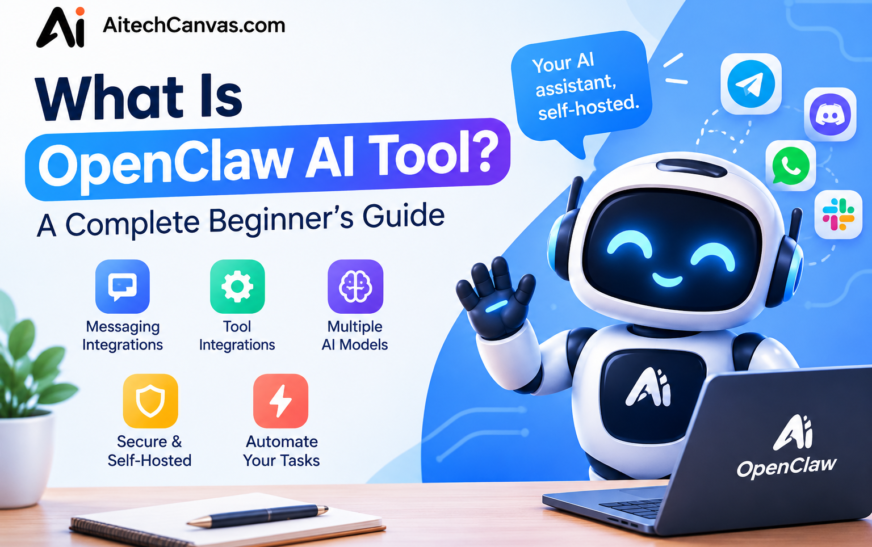
Imagine having an AI assistant that does more than answer questions. It may connect with messaging apps, use configured tools, and help with everyday tasks. That is the idea behind OpenClaw AI: an open-source assistant for people who want more control over how they configure and use an AI system. Instead of treating AI only as a place to ask questions, users can explore ways to connect models with practical workflows. The exact experience depends on the installation, model provider, integrations, and permissions selected. Before getting started, understand what OpenClaw can do, what the setup involves, and how to manage security responsibly.
OpenClaw AI is an open-source, self-hosted AI assistant that can connect to supported messaging platforms, work with compatible AI models, and use configured tools to help with tasks. Its capabilities depend on the version, integrations, and permissions available in a particular setup. Unlike a basic chatbot that mainly responds to prompts, OpenClaw can be configured to support more persistent interactions and practical workflows. However, it is not automatically able to access every app or complete every task. Users may need to install dependencies, configure model access, and maintain the environment. Hosting, API usage, and other services may also create costs.
Key Takeaways
- Open-source AI assistant: OpenClaw is designed to be customizable and run in an environment the user controls.
- AI task automation: Configured tools may help with repetitive tasks and routine workflows.
- Messaging integrations: Compatible messaging channels may provide another way to interact with the assistant.
- Flexible AI models: Model choice depends on the providers and integrations supported by the current setup.
- Persistent workflows: Configuration may allow saved context and continuity between interactions.
- Technical setup: Installation, maintenance, and troubleshooting may require technical knowledge.
- Security responsibility: Credentials, permissions, exposed services, and third-party extensions should be managed carefully.
What Is OpenClaw AI Tool?
OpenClaw AI is an open-source AI assistant intended for users who want to connect an AI model with tools, integrations, and everyday workflows. The phrase “What is OpenClaw AI tool?” refers to a system that can be configured for more than ordinary question-and-answer chat. Depending on the setup, it may support messaging channels, tool-assisted actions, and a degree of ongoing context. Because it is self-hosted, users can have greater control over where the assistant runs and how it is configured. That flexibility also means setup and security are the user’s responsibility. Its actual abilities depend on compatible models, installed integrations, and granted permissions.
How Does OpenClaw AI Work?
OpenClaw AI generally works by connecting an AI model to a service or gateway that coordinates messages, tools, and supported integrations. A user sends a request through a configured channel, the system passes relevant information to the model, and available tools may be used when the configuration allows them. The response is then returned through the chosen interface. This process is not identical in every installation: model providers, tool availability, and permissions can change what the assistant can do. A useful setup starts with a narrow task, checks the output, and expands access only when necessary. Users should consult current official documentation for supported components.
Understanding the OpenClaw Gateway
The OpenClaw Gateway can be understood as the coordination layer between supported messaging channels, the assistant, and configured capabilities. It helps route incoming messages and manage how the system responds through the chosen setup. The exact functions depend on the current version and configuration. Users should keep the gateway protected, avoid unnecessary public exposure, and follow the official setup guidance.
AI Models and API Integration
OpenClaw may be configured to use compatible AI model providers through the supported integration methods. Depending on the provider, this can involve an API key, account setup, model selection, and usage limits. Some environments may support compatible local models. Check current documentation before choosing a provider, and protect API credentials because leaked keys can expose accounts or create unexpected charges.
OpenClaw AI Features and Benefits
OpenClaw AI’s main appeal is its configurable approach to AI assistance. Depending on the environment, users may connect messaging channels, select a supported model, add tools, and build workflows around common tasks. This can make it useful for people who want to experiment with AI beyond a standalone chat window. The benefits are not automatic: every feature relies on the correct configuration, reliable integrations, and suitable permissions. Users should test each capability before relying on it for important work. It is also sensible to review costs, privacy implications, and maintenance requirements before connecting business accounts or sensitive files.
AI Task Automation
Configured tools can help OpenClaw support repetitive tasks, such as organizing information, preparing drafts, or coordinating a simple workflow. Automation depends on which tools are installed and what permissions they receive. Review outputs before allowing actions that send messages, change files, or affect important accounts.
AI Messaging Assistant
A messaging integration may let users communicate with their configured assistant through a supported channel instead of opening a separate interface. Available channels and setup steps can vary. Users should confirm the current compatibility list, protect connected accounts, and avoid giving the assistant broader access than the intended tasks require.
Persistent AI Memory and Context
Depending on configuration, OpenClaw may retain useful context that helps conversations continue across interactions. Saved context can reduce the need to repeat details, but it should be managed carefully. Avoid storing sensitive information unnecessarily, and review the available controls and documentation to understand what is retained and how it is used.
AI Tool Integrations and Custom Skills
Integrations and skills can extend an assistant’s capabilities by connecting it to specific services or actions. The available options depend on the video editing software version and installed components. Before enabling an extension, check its source, permissions, maintenance status, and data access. A tool should receive only the access needed for its intended purpose.
What Can OpenClaw AI Do? Practical Use Cases
OpenClaw AI can support different kinds of work when suitable models, tools, and integrations are configured. For personal use, it may help organize information or prepare reminders and drafts. For businesses, it may assist with repetitive administrative workflows or information handling. Developers may explore tool-assisted technical tasks, while more advanced setups may connect browser or file operations where supported. These examples should be treated as possibilities rather than guaranteed features. Results depend on the tools available, the reliability of the model, and the permissions granted. Start with low-risk tasks and keep a person involved when actions could affect money, customers, private data, or important systems.
OpenClaw AI for Personal Productivity
For personal productivity, a configured assistant may help draft messages, summarize information, organize notes, or support reminders through compatible tools. The specific actions depend on the installed integrations and permissions. Users should review results and avoid sharing sensitive personal information unless they understand how their setup handles it.
OpenClaw AI for Business Automation
Businesses may explore OpenClaw for internal information handling, task coordination, drafting routine communications, or supporting repeatable administrative processes. It should not be assumed to automate an entire department without setup and oversight. Test workflows with sample data, define permissions, and require approval for actions involving customers, payments, confidential records, or external communications.
OpenClaw AI for Developers
Developers may use a configured OpenClaw environment to assist with technical research, drafting code-related notes, or coordinating tool-based workflows. The value depends on model quality and available integrations. Review generated code and commands before running them, and test changes in a safe environment rather than granting unrestricted access to production systems.
AI Browser, File, and Workflow Automation
Browser, file, and workflow actions are possible only when suitable tools are available and explicitly configured. Capabilities may differ between installations, and access can introduce privacy or security risks. Begin with non-sensitive test files and limited permissions. Verify each action before allowing changes to important documents, accounts, or online services.
How to Install OpenClaw AI on Windows
Installing OpenClaw AI on Windows starts with checking the current official documentation for supported environments and prerequisites. Depending on the release, setup may involve a supported runtime, command-line tools, configuration files, and access to an AI model provider. Avoid relying on old tutorials when commands or requirements may have changed. Download software from trusted official sources, review each installation step, and keep a record of configuration changes. After installation, configure only the model and integrations you need. Test a simple request before connecting accounts or enabling automation. If Windows-specific instructions are not available for your version, follow the officially supported installation route rather than guessing at commands.
Check the System Requirements
Before installation, review the current requirements for operating system support, runtime dependencies, storage, network access, and any model-specific needs. Hardware requirements can vary if you use local models instead of a hosted API. Confirm compatibility in official documentation before downloading or configuring components.
Install and Configure OpenClaw
Follow the official installation instructions for the version you intend to use. Configure the model provider and required credentials through the documented method, then add only the integrations needed for your first task. Keep API keys private, avoid copying commands from untrusted sources, and check each setting before proceeding.
Test Your OpenClaw AI Assistant
Once setup is complete, send a simple, low-risk prompt and confirm that the assistant responds as expected. Test one integration at a time and review logs or error messages if something fails. Do not start by granting access to sensitive files or enabling actions that cannot easily be reversed.
How to Use OpenClaw AI Assistant
To use OpenClaw AI, first confirm that the installation is working and that a compatible model has been configured. Next, connect a supported messaging channel or use the available interface, then send a straightforward request. If tools are enabled, test them individually and check the result before expanding the workflow. Keep prompts clear and provide only the context needed for the task. For important operations, require human review instead of assuming the assistant’s output is correct. Users should also monitor model usage, keep software updated, and periodically review integrations and permissions. The best starting point is a small workflow that is easy to inspect and undo.
Connect OpenClaw to WhatsApp, Telegram, Discord, or Slack
Messaging connections depend on the channels supported by the current version and the setup method. Check official documentation before linking WhatsApp, Telegram, Discord, Slack, or any other service. Follow the required authentication steps, protect connected accounts, and test with a private or low-risk conversation before using the integration for sensitive work.
Configure OpenClaw Skills and Plugins
Skills, plugins, or other extensions may add capabilities when they are compatible with the installed version. Review the publisher, source code or documentation, requested permissions, and maintenance history before enabling them. Install only what you need, and test each extension with limited access so that unexpected behavior is easier to identify.
Is OpenClaw AI Free to Use?
OpenClaw is open-source software, but that does not mean every way of running it is completely free. The total cost depends on where it is hosted, which AI model is used, and whether external services or integrations charge fees. A hosted model may bill according to usage, while a local model may require suitable hardware and electricity. Users may also spend time installing updates, fixing integrations, and maintaining the system. Before choosing a setup, estimate likely usage and review the provider’s current pricing. A small test can help reveal costs before the assistant becomes part of a regular workflow.
- Software and hosting: Self-hosting may use an existing computer or a paid server.
- Model or API charges: Some providers charge based on usage or subscription.
- Local hardware: Running a local model may require adequate memory and processing power.
- Optional services: Some integrations or connected platforms may have their own fees.
- Maintenance time: Configuration, updates, and troubleshooting also have a practical cost.
OpenClaw AI vs ChatGPT vs Claude
OpenClaw AI, ChatGPT, and Claude serve overlapping but different purposes. OpenClaw is focused on a configurable assistant environment that can be self-hosted and connected to supported tools. ChatGPT and Claude are general-purpose AI assistant services with their own features, plans, and integrations. The right choice depends on whether a user values control over deployment, straightforward access, specific model capabilities, or a particular workflow. Features and pricing can change, so check current official product information before deciding. No option is universally best for everyone. Compare the setup effort, privacy needs, available integrations, ongoing costs, and the level of technical maintenance you are prepared to handle.
| Feature | OpenClaw AI | ChatGPT | Claude |
| Main role | Configurable assistant and automation environment | General-purpose AI assistant | General-purpose AI assistant |
| Self-hosting | Designed for self-hosted deployment | The ChatGPT service is not a self-hosted deployment | The Claude service is not a self-hosted deployment |
| Custom workflows | Depends on configured tools and integrations | Depends on available features and integrations | Depends on available features and integrations |
| Setup | May require technical configuration | Generally straightforward to start using | Generally straightforward to start using |
| Costs | Hosting, models, and services may cost extra | Depends on plan and usage | Depends on plan and usage |
Which AI Tool Should You Choose?
Choose OpenClaw if you want to explore a more configurable environment and are comfortable managing setup, integrations, and security. ChatGPT or Claude may suit people who prefer a ready-to-use conversational assistant. Compare current features, costs, and privacy settings before making a decision.
Is OpenClaw AI Safe to Use?
OpenClaw AI’s safety depends heavily on how it is installed, configured, and maintained. Self-hosting can give users more control over their environment, but it does not automatically make a setup secure. Connected tools may access messages, files, accounts, or other systems, so permissions should be limited to the task. Keep credentials private, use trusted integrations, update software, and avoid exposing management services publicly without appropriate protection. Test potentially destructive actions before enabling them, and review automated results. If the assistant is used for business or sensitive information, establish clear rules about what data it may access and which actions require human approval.
- Protect API keys and account credentials.
- Limit access to files, messaging accounts, and system tools.
- Review third-party skills and integrations before enabling them.
- Avoid unnecessary public exposure of the gateway.
- Keep software and dependencies updated.
- Test potentially destructive actions before enabling automation.
Advantages and Disadvantages of OpenClaw AI
OpenClaw AI can appeal to people who want flexibility and control over an AI assistant’s environment. It may connect supported messaging channels and tools, and it can be adapted to particular workflows when compatible integrations are available. However, this flexibility can add complexity. Installation, maintenance, troubleshooting, and security decisions may require technical knowledge. Costs can also arise from hosting, model usage, hardware, or connected services. The assistant’s results depend on the model, tools, and configuration, so it should not be treated as infallible. Weigh the possible benefits against the setup effort and risk, especially if you plan to use it with important accounts or sensitive information.
Advantages
OpenClaw’s potential advantages include customizable configuration, self-hosted deployment, support for compatible messaging channels, and the ability to connect tools for specific workflows. Users may gain more control over the environment than they would with a fixed, standalone chat interface. These benefits depend on the version, integrations, and skills installed.
Disadvantages
Potential disadvantages include a more technical installation process, ongoing maintenance, possible model and hosting charges, and integration troubleshooting. Poor permission management can create security risks, while model errors may affect results. Users should expect to test and monitor the system rather than assume every task will work automatically.
Best Practices for Getting Started With OpenClaw AI
Start by reading the current official documentation and choosing a supported installation method. Configure one model and one basic integration first, then test with non-sensitive information. Use trusted extensions, protect credentials, and grant only the permissions needed for each workflow. Keep the gateway and other services appropriately secured, update dependencies, and monitor usage for unexpected costs. Before enabling actions that send messages, edit files, or change accounts, test them and require approval where practical. Maintain a simple record of installed integrations so they can be reviewed or removed later. A cautious, step-by-step setup makes problems easier to diagnose and helps reduce avoidable risks.
Conclusion
OpenClaw AI is an open-source AI assistant for people interested in configurable AI interactions, messaging integrations, and tool-assisted task automation. Its appeal is the possibility of connecting an AI model with workflows suited to personal or professional needs. However, its capabilities depend on the version, model provider, integrations, and permissions configured by the user. Installation and maintenance may require technical knowledge, while hosting and model usage can create costs. Security also needs attention, particularly when connecting accounts or files. If you want a flexible assistant and are prepared to manage its setup responsibly, OpenClaw AI may be worth exploring. Begin with a small, low-risk task and expand gradually.
Frequently Asked Questions (FAQs)
1. What is OpenClaw AI tool used for?
OpenClaw AI can be configured to support AI conversations, messaging integrations, tool-assisted tasks, and automated workflows. The exact uses depend on the installed tools, supported channels, model provider, and permissions. Test each workflow before relying on it for important actions.
2. Is OpenClaw AI free to use?
The software is open-source, but running it may involve hosting, model API usage, hardware, or other service costs. The total price depends on the setup and how often it is used. Check current provider pricing before choosing a model.
3. Can I install OpenClaw AI on Windows?
Windows support and setup requirements can depend on the current release. Check the official documentation for supported environments, dependencies, and installation steps. Follow current instructions rather than relying on outdated commands or unofficial downloads.
4. Can OpenClaw AI connect to WhatsApp or Telegram?
Messaging integrations may be available depending on the current version and supported configuration. Check the official compatibility information and follow the documented connection process. Protect account credentials and test the connection before using it for sensitive conversations.
5. Is OpenClaw AI better than ChatGPT?
Neither option is automatically better for every user. OpenClaw focuses on a configurable assistant environment, while ChatGPT provides a ready-to-use AI assistant experience with its own features and integrations. Compare setup needs, available tools, costs, and privacy requirements.
6. Is OpenClaw AI safe?
Safety depends on configuration, permissions, trusted integrations, credential protection, and regular updates. Self-hosting provides control but does not guarantee security. Limit access, avoid unnecessary public exposure, and require human review for sensitive or destructive actions.
7. Can OpenClaw AI automate business tasks?
It may support business workflows when suitable tools and integrations are configured. Examples can include drafting routine communications or organizing information. Test workflows carefully, protect business data, and keep human approval for important customer-facing or financial actions.
8. Does OpenClaw AI support Claude or other AI models?
Model compatibility depends on the providers and configurations supported by the current version. Review the official documentation before selecting a provider, and check any API requirements, usage limits, and costs. Do not assume every model is compatible with every setup.