

A small black spot on computer monitor can ruin the entire viewing experience, but can it actually be repaired, or will you need to buy a new monitor? Let’s walk through this complete guide step by step.
A black spot on monitor usually shows up because of a dead pixel, a stuck pixel, or physical damage to the screen. Stuck pixels can often be fixed with pixel-repair tools or a gentle massage technique, but dead pixels and internal panel damage usually mean the screen has to be replaced.
Key Takeaways
- A dead pixel is permanent, but a stuck pixel can often be fixed
- Too much pressure or an impact can cause the black spot to spread
- Try cleaning and cable checks first before anything else
- If the spot doesn’t fix, panel replacement is the best solution
- Proper handling and care can prevent future damage
What Is a Black Spot on a Computer Monitor?
A black spot on computer monitor is a small dark mark, dot, or patch that shows up on the display and doesn’t match whatever is actually being displayed. Depending on the cause, it might look like a single black dot on monitor screen, a scattered cluster of black dots on monitor, or a larger black patch on monitor screen that’s impossible to miss against a bright background.
These marks aren’t limited to one type of display. You’ll find complaints about a black spot on LCD monitor, a black spot on LED monitor, a black spot on OLED monitor, a black spot on curved monitor, a black spot on gaming monitor, and just as often a black spot on laptop screen or black spot on TV screen. Regardless of the device, the underlying causes tend to fall into the same few categories.
Not every spot means the same thing. Some are entirely cosmetic, like a bit of trapped dust or a stubborn smudge, while others are a sign of real hardware failure underneath the glass, like a dead pixel, a cracked panel, or a backlight fault. The size of the spot, whether it moves or stays fixed, and whether it changes as you switch between colors all give useful clues before you attempt any kind of fix. If you’re new to some of the terms used in this guide, our explainer on what IT stands for in technology is a good starting point for the broader field this kind of hardware troubleshooting sits under.
Common Causes of Black Spots on Monitor Screen
There’s rarely just one explanation behind a dark spot on monitor. The cause can be as harmless as dust on the glass or as serious as permanent internal damage. Here’s a full breakdown of what typically causes it.
Dead Pixels
A dead pixel is a pixel that has completely stopped receiving power, so it no longer lights up at all, regardless of what’s on screen. On most displays this shows up as a tiny, permanent black dot on monitor screen that stays exactly the same whether the background is white, black, or a full-color image. Dead pixels are one of the most common explanations behind a dead pixel black spot, and they’re also the hardest to fix, since the pixel itself has stopped functioning at the hardware level.
Stuck Pixels
A stuck pixel works differently from a dead one. It’s still receiving power, but it’s frozen on a single color (often red, green, blue, or black) instead of switching correctly with the rest of the screen. This is exactly where the stuck pixel vs dead pixel distinction matters most, because stuck pixels can often be revived using pixel-cycling software or a very gentle pressure technique, while dead pixels generally cannot be fixed at all.
Physical Damage
A cracked monitor black spot or a mark that appears right after an impact almost always points to physical damage. When the glass or LCD layer physically breaks or gets crushed, it disturbs the liquid crystal layer underneath, and the affected area typically spreads outward from the point of impact over the following days or weeks.
Screen Pressure
A pressure mark on monitor is one of the most common causes of a sudden black spot, even when there’s no visible crack at all. Pressing too hard while cleaning, carrying the monitor incorrectly, or resting something heavy against it can damage the liquid crystal layer beneath the glass without ever breaking the surface. This is often described as a black spot due to pressure on screen, and it’s also the most likely explanation for a black spot on monitor after cleaning or a black spot appeared on monitor after cleaning. Even light cleaning pressure causing black spot on screen can be enough if a cloth or cleaner was pressed too firmly.
Internal Display Damage
A black spot after dropping monitor, or one that shows up following any kind of impact, usually signals internal display damage. This differs from surface-level physical damage because the outer glass can look perfectly fine while the layers underneath are already affected, which means screen panel damage or a damaged LCD panel sometimes only becomes fully visible days after the actual incident.
Dust, Moisture, or Liquid Damage
Not every black smudge on monitor or black blob on screen is a hardware problem. Dust trapped between the screen and a protective layer, or moisture that has seeped in from a spill or from humidity, can create a dark patch that looks exactly like internal damage but is really just sitting on or just behind the surface.
Backlight Bleeding Issue
On LCD and LED panels, an uneven monitor backlight black spot pattern can appear when the backlight isn’t distributing light evenly across the screen. This is closely related to backlight bleeding, and it tends to be far more noticeable during dark scenes or when the screen is showing a solid black background.
How to Identify the Problem
Before attempting any fix, it’s worth correctly diagnosing exactly what kind of black spot on screen you’re dealing with, since the right fix depends entirely on the right diagnosis.
Dead Pixel vs Stuck Pixel – Key Differences
- A dead pixel stays black across every background color and every application, with no exceptions.
- A stuck pixel usually shows a fixed color (not always black) and may briefly change during a dead pixel test.
- Dead pixels rarely respond to software-based fixes; stuck pixels often do.
- A single dead or stuck pixel keeps the same size over time, while damage-related spots tend to grow.
Quick Screen Test to Diagnose Black Spots
Running a simple black screen test for monitor is the fastest way to narrow things down. Display a pure black screen, then a pure white screen, then cycle through full-screen red, green, and blue. A spot that disappears on some colors and reappears on others is most likely a stuck pixel; a spot that stays exactly the same on every single color is more likely a dead pixel or physical damage. Free stuck pixel checker tools and monitor pixel test websites can automate this entire color-cycling process for you in a couple of minutes.
How to Fix a Black Spot
Once you have a rough idea of the cause, work through these steps in order, starting with the safest and least invasive options first.
Clean the Screen Surface First
Before assuming it’s a hardware fault, rule out dust and smudges. Use a dry microfiber cloth and wipe gently in circular motions without pressing down. If you need liquid, apply a small amount of screen-safe cleaner to the cloth itself, never directly onto the screen, to avoid turning a harmless smudge into a black spot on monitor after using cleaner.
Check Cable, Input, and Source Device
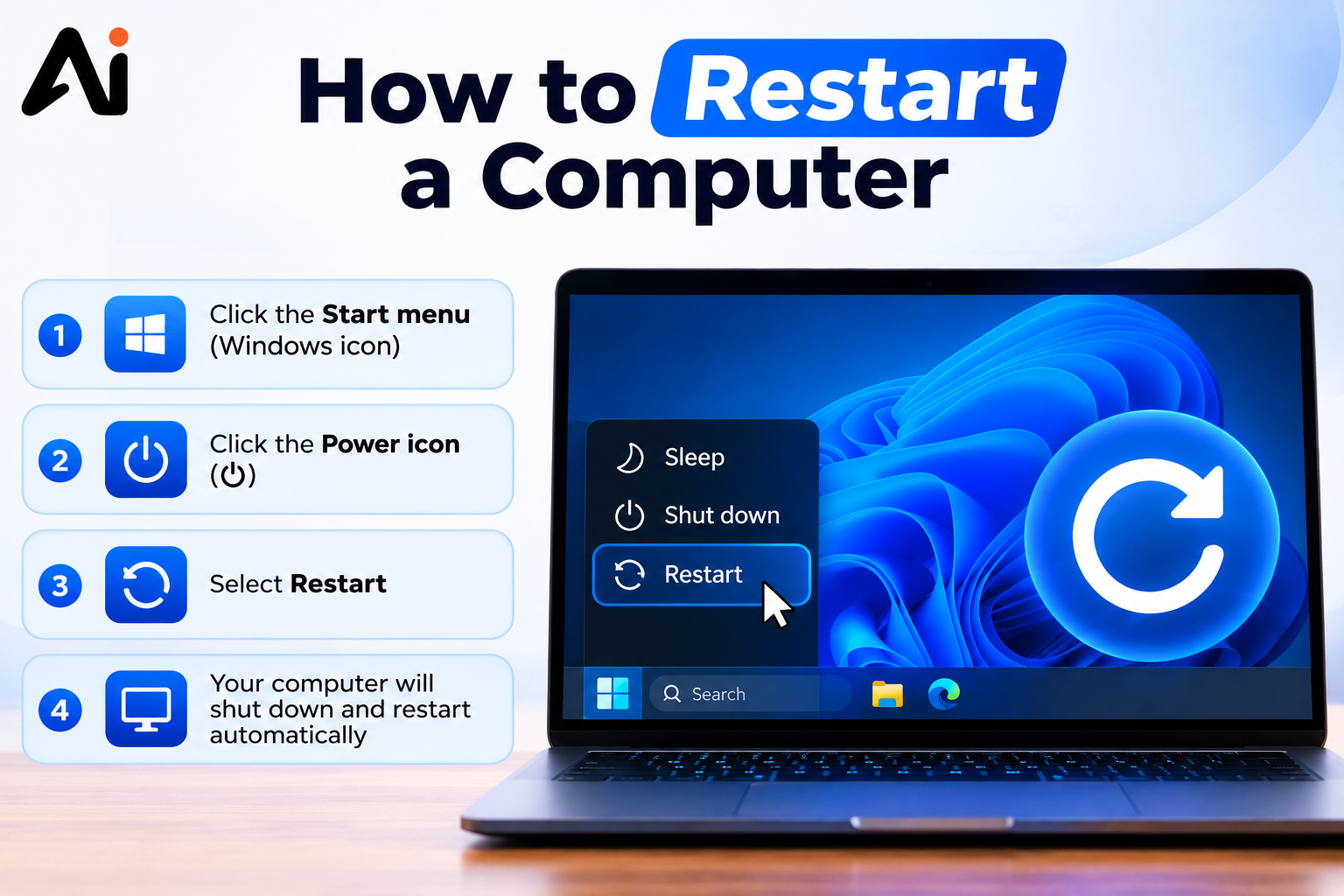
Sometimes a dark patch isn’t a physical spot at all, it’s a display signal issue. Reseat the video cable, try a different port or cable, and test the monitor with another source device. It’s also worth doing a full restart of your computer before you conclude anything, since a simple reboot clears out display driver glitches that can otherwise look exactly like a spot on the panel. If the spot disappears when you switch inputs or reboot, the panel itself isn’t the problem.
Try a Pixel Repair Tool (For Stuck Pixels Only)
Pixel-repair software rapidly flashes colors over the affected area to try to “unstick” the pixel. This only works on stuck pixels, not dead ones, so it’s worth running a dead pixel test first to confirm you’re dealing with the right issue before spending time on this step. If you want to understand where a tool like this fits among the other utilities running on your machine, our guide on how to classify software application components breaks down the different categories.
Use Gentle Pressure Massage Technique (For Stuck Pixels)
With the monitor turned off, some people gently massage the exact spot in small circular motions using a soft, cloth-wrapped finger, then power the display back on to check. This should always be done with minimal pressure, since too much force is exactly what causes a black spot on monitor after pressure in the first place. Treat this as a last resort, and stop immediately if the spot changes shape or size.
Adjust Display Settings and Drivers
Occasionally, outdated graphics drivers or incorrect display settings can create shadow-like dark patches that mimic a real spot. Updating your graphics driver and resetting color and contrast settings to default can help rule this out before you assume the worst. If you manage several machines, this is also a good moment to understand what system administration software can do, since some of these tools can push driver updates and monitor configuration changes automatically across all your devices.
When to Replace the Panel
If the spot doesn’t respond to any of the above and shows up consistently across every input and every color, it’s likely a damaged LCD panel or a dead pixel cluster, and at that point LCD panel replacement becomes the only real fix.
Can a Black Spot Spread?
Yes, a black spot on monitor spreading is a fairly common warning sign, especially when the original cause was physical damage. A crack or pressure mark can widen over time as the internal layers continue to separate further, particularly if the monitor experiences more pressure, heat, or movement afterward. A single dead or stuck pixel, on the other hand, typically stays the same size, since it’s an isolated pixel failure rather than structural damage. If you start noticing multiple black spots on monitor appearing over a short period, or an existing spot getting visibly bigger week by week, it’s a strong sign of underlying panel damage rather than a simple pixel issue.
Can You Fix a Black Spot Yourself?
Some causes of a black spot on monitor are perfectly DIY-friendly; others really do need professional hands.
Safe DIY Checks
- Cleaning the screen with a proper microfiber cloth
- Running a dead pixel test or stuck pixel checker
- Checking and swapping cables
- Updating graphics drivers
- Trying pixel-repair software for a suspected stuck pixel
Repairs That Need a Technician
- Any cracked LCD or visibly broken glass
- Internal moisture or liquid damage
- Backlight bleeding or an uneven backlight pattern
- A spot that keeps growing despite no new impact
- Confirmed dead pixels that require panel-level repair
Attempting to open the monitor casing yourself can void the monitor black spot warranty, so it’s best to leave anything beyond simple surface cleaning to a qualified technician. If you’re curious about what this kind of hardware work actually involves day to day, our guide on how to get a job as a computer assembler walks through the skills technicians use for exactly this type of repair.
When to Replace the Monitor
Signs You Need a New Monitor
- The black spot keeps growing, or new spots keep appearing
- Multiple dead pixels are scattered across the screen
- The panel shows visible cracks or pressure lines
- A repair quote comes close to the price of a new monitor
- The monitor is old enough that repairing it isn’t cost-effective long term
Repair vs Replacement Cost Comparison
LCD panel replacement and monitor screen replacement cost vary a lot depending on the monitor’s size, panel type, and age. For budget or mid-range monitors, panel replacement often costs close to (or sometimes more than) buying a new unit outright, especially once labor and shipping are factored in. For premium or professional-grade displays, repair can still make financial sense. It’s usually worth getting an actual repair quote first and comparing it directly against the price of a similar new monitor before making a final call.
How to Prevent Screen Damage
Avoid Physical Pressure on the Screen
Never press down hard while cleaning, and avoid stacking or leaning objects against the screen. Most cases of pressure damage and screen pressure marks are entirely avoidable with lighter, more careful handling.
Keep the Screen Dry and Clean
Wipe with a dry or barely damp microfiber cloth, keep liquids well away from the desk area, and clean regularly so dust doesn’t build up to the point where you’re tempted to scrub harder.
Control Heat and Ventilation
Excessive heat can stress the internal components of a display over time. Keep the monitor in a well-ventilated spot, away from direct sunlight and other heat sources.
Handle and Transport Monitor Carefully
When moving or transporting a monitor, use proper padding and avoid gripping the screen itself. Most cases of a black spot after dropping monitor trace directly back to careless handling during transport.
Conclusion
A black spot on computer monitor can come from something as minor as a stuck pixel or as serious as internal panel damage, and the right fix depends entirely on correctly identifying which one you’re dealing with. Start with the safe, non-invasive checks: cleaning, cable checks, and a proper pixel test. If the spot responds to a pixel-repair tool or a gentle massage, you may be able to fix it without spending a rupee. But if it’s spreading, multiplying, or tied to visible cracks, that’s a clear sign of real hardware damage, and at that point, getting a repair quote or considering a replacement is the more practical route. A little extra care in daily handling and cleaning goes a long way toward keeping these spots from showing up in the first place.
Frequently Asked Questions
Is a black spot on monitor a dead pixel?
Not always. It could be a dead pixel, a stuck pixel, physical damage, dust, or a backlight issue. A color-cycling test helps narrow it down.
Why does my monitor have a black spot that won’t go away?
A spot that stays exactly the same across every color and background is usually a dead pixel or physical panel damage, neither of which resolves on its own.
Can cleaning a monitor cause a black spot?
Yes. Pressing too hard with a cloth, or using non-screen-safe liquids, can damage the internal layers and cause a black spot on monitor after cleaning.
Why did a black spot appear on my monitor after cleaning?
It’s usually the result of applying too much pressure during cleaning, which can disturb the LCD layer beneath the glass and leave a visible mark.
Small black dot appeared on my screen, what is it?
It’s most likely a dead or stuck pixel. Running a quick pixel test will confirm which one it is and whether a fix is possible.
Black spot on monitor but no crack, what could it be?
This points more toward a dead or stuck pixel, or a backlight issue, rather than physical breakage, since there’s no visible structural damage.