
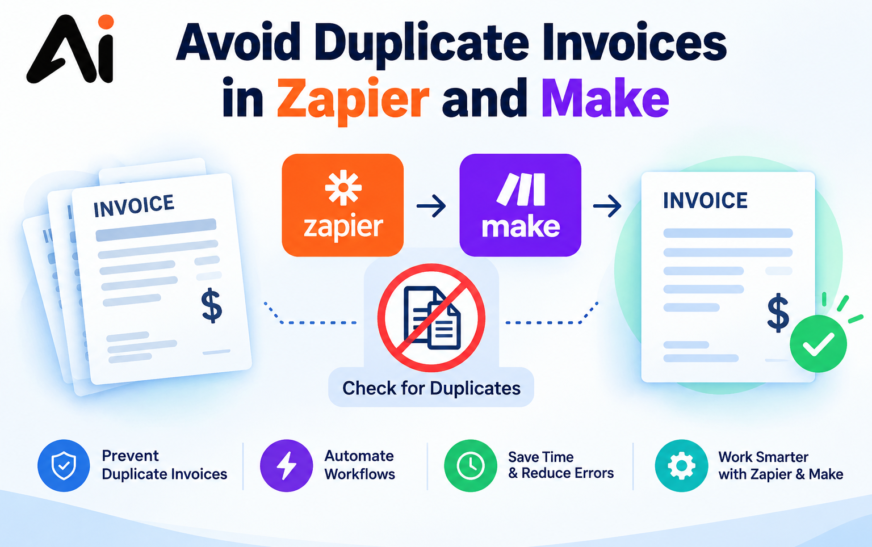
Automating invoice creation can save time, reduce manual data entry, and make business workflows more efficient. However, when an automation runs more than once or processes the same order through multiple workflows, it can create duplicate invoices. These errors can lead to accounting confusion, extra administrative work, and inaccurate financial records.
Learning how to avoid duplicate invoices in Zapier and Make helps businesses build more reliable automation workflows. By checking existing records, using unique order identifiers, and handling repeated events carefully, you can reduce the risk of creating the same invoice multiple times.
To prevent duplicate invoices, check whether an invoice already exists before creating a new one. Use a unique identifier, such as an Amazon order ID or an internal transaction reference, to match incoming data with existing invoice records. In Zapier, use a search step and a filter to stop processing when a match is found. In Make.com, use a search module, filters, and a data store where appropriate.
For stronger protection, make the final invoice-creation operation idempotent, meaning that processing the same order repeatedly does not create additional invoices. A simple search followed by creation can still allow duplicates if two workflow runs happen simultaneously.
Key Takeaways
- Check existing invoice records before creating new ones.
- Use a unique order ID or transaction reference to identify each invoice.
- Configure Zapier filters and Make.com routes to stop duplicate processing.
- Handle repeated webhooks, failed operations, and automatic retries carefully.
- Maintain a record of processed orders and test workflows before using them in production.
- Use safeguards in the invoice system itself when possible, rather than relying only on automation filters.
Why Duplicate Invoices Happen in Automation
Invoice automation depends on triggers, data transfers, and actions across connected applications. A problem in any of these stages can cause an invoice to be created more than once.
Repeated Triggers
A workflow may run again when an order is updated, a payment status changes, or an application sends another notification. If the automation does not distinguish between a new order and an existing one, it may create another invoice for the same transaction.
For example, an Amazon order might trigger a workflow when it is placed and again when its details are updated. If both events reach the invoice-creation step without an appropriate check, duplicate records may appear.
Webhook Events Delivered More Than Once
Webhooks allow applications to send information to another system when an event occurs. Some systems may deliver the same event more than once, particularly when delivery confirmation is delayed or a request is retried.
An automation should therefore treat incoming events as potentially repeatable. Matching each event to a stable order or transaction identifier helps prevent repeated processing.
Automatic Retries After Failures
An invoice-creation request might reach the destination application successfully even when the automation does not receive a clear confirmation. If the workflow retries the request, it may create another invoice.
This is especially important when working with APIs. A timeout does not necessarily mean the original request failed. Before retrying an uncertain operation, check whether the invoice was already created.
Missing or Inconsistent Invoice Identifiers
Without a consistent identifier, the automation may struggle to determine whether two records represent the same transaction.
Invoice numbers, customer names, dates, and amounts can help with reconciliation, but they are not always reliable unique identifiers. A stable source order ID or transaction reference is generally a better starting point.
Multiple Workflows Processing the Same Order
Duplicate invoices can also occur when two Zaps or Make.com scenarios process the same order independently. Each workflow might check for an existing invoice and find nothing before either one creates the record.
This race condition means that checking for duplicates is useful but not always sufficient. A unique constraint, atomic record reservation, or idempotency mechanism can provide stronger protection when the underlying system supports it.
How to Avoid Duplicate Invoices in Zapier
Zapier can automate invoice creation by connecting order sources, spreadsheets, accounting applications, and invoice management systems. The key is to verify the order before allowing the workflow to create an invoice.
Find an Existing Invoice Before Creating One
Add a search step before the invoice-creation action. Search the destination application or a reliable record store using the source order ID or another unique reference.
A typical Zapier workflow looks like this:
- Trigger: A new order or qualifying event is received.
- Search: Look for an invoice or processed-order record with the same identifier.
- Decision: Determine whether a matching record exists.
- Action: If a record exists, stop the creation path. If no record exists, continue to invoice creation.
- Verification: Confirm that the invoice was created and save the relationship between the order and invoice.
The exact search and branching features depend on the connected applications and your Zapier plan. Test what happens when a search returns no results, multiple results, or an error.
Use Filters to Stop Duplicate Invoice Creation
A filter can prevent a Zap from continuing when a condition is not met. For example, you can configure the workflow to continue toward invoice creation only when the search step confirms that no matching invoice exists.
Be careful with the search result. A failed search caused by an API error should not automatically be treated as proof that no invoice exists.
For more complex workflows, use conditional paths or equivalent branching features to separate existing invoices, new orders, and uncertain results.
Match Amazon Order IDs with Invoice Records
If you use Amazon order data in your automation, preserve the order ID when transferring information to your invoice system.
For example, an order reference such as ORDER-EXAMPLE-1042 can be stored in an invoice reference field or in a separate mapping table. The value is illustrative; use the actual order identifier supplied by your source application.
Before creating a new invoice, search for the same reference. If it has already been processed, update the existing workflow record instead of generating another invoice.
This approach makes Amazon invoice automation easier to audit and troubleshoot.
Handle Repeated Zap Runs
A Zap can run again because a trigger event is repeated, a user replays a task, or a workflow is deliberately retried. Your duplicate-prevention logic should work even when the same input is processed more than once.
Use a stable identifier across every run and verify whether the invoice already exists. For stronger protection, enforce uniqueness in the destination system or use an API operation that supports idempotency.
Do not assume that a search-and-filter sequence alone guarantees exactly one invoice when two runs can execute simultaneously.
How to Prevent Duplicate Invoices in Make.com
Make.com allows users to build visual workflows using modules, filters, routers, and data stores. These tools can help you identify repeated orders before they reach an invoice-creation module.
Search for Existing Invoice Records
Place a search module before the module that creates an invoice. Configure the search to match the source order ID, external reference, or another stable identifier.
The general scenario should follow this sequence:
Order received → Search existing records → Evaluate the result → Create or skip the invoice → Save the processing result
If a matching invoice exists, route the execution away from the creation module. If no record exists, continue only after confirming that the search completed successfully.
Module names and available search fields depend on the connected application.
Use Filters and Data Stores
Make.com filters can control which operations proceed through a scenario. A data store can also maintain a record of processed order IDs and associated invoice references.
For example, a data store might contain:
| Order ID | Processing Status | Invoice Reference |
|---|---|---|
| ORDER-1001 | Completed | INV-1001 |
| ORDER-1002 | Completed | INV-1002 |
| ORDER-1003 | Pending | Not assigned |
These are illustrative records, not actual customer data.
Before processing an order, check its status. If it is completed, skip invoice creation. If it is pending, follow the appropriate processing path and record the result after successful creation.
A basic data-store lookup is not automatically a lock. Two scenario executions may both read a missing record before either writes it. If concurrent processing is possible, use an atomic uniqueness mechanism or another reliable way to coordinate executions.
Configure Error Handling and Retries
Error handling is important when an invoice API times out, a connection fails, or a destination application temporarily becomes unavailable.
Before retrying an invoice-creation operation, determine whether the original request succeeded. If the result is uncertain, search for the invoice using the original order reference or query the destination API.
A safe retry strategy should distinguish between:
- Confirmed failure: Retry if the error is temporary and the operation is safe to repeat.
- Confirmed success: Record the invoice reference and do not create another invoice.
- Unknown outcome: Verify the destination system before repeating the creation request.
This process reduces the chance that a temporary connection problem becomes an invoice duplication problem.
Prevent Two Scenarios from Processing the Same Order
Two Make.com scenarios can sometimes process the same source event or read the same order simultaneously. Both may pass an ordinary search check and then create an invoice.
To reduce this risk, avoid overlapping processing where possible, coordinate workflows that share the same order source, and use a destination-side unique constraint or an atomic reservation mechanism if available.
A processed-order record is most effective when the system can guarantee that only one execution claims a particular identifier at a time.
Prevent Duplicate Invoices in Amazon and Invoice Ninja
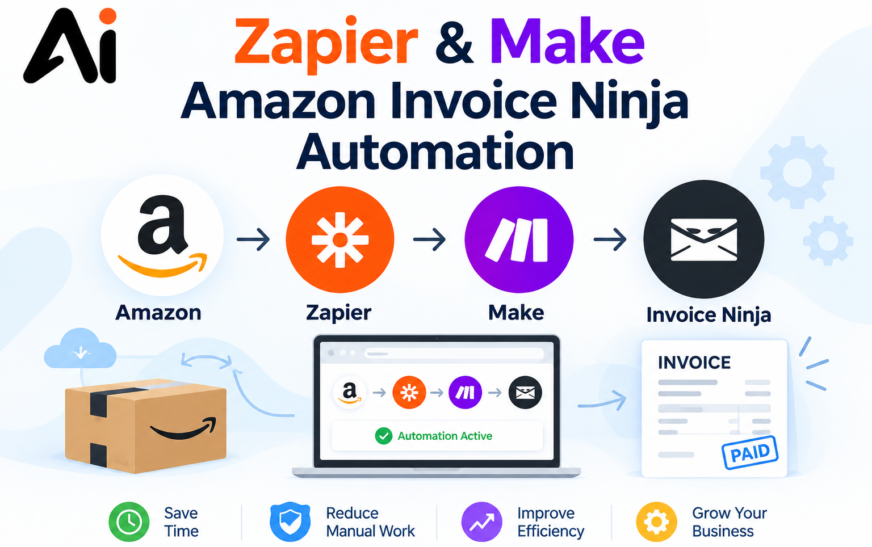
When Amazon order information feeds into Invoice Ninja through Zapier, Make.com, or an API-based integration, the workflow needs a reliable way to connect each source order with its invoice.
Businesses connecting Amazon, Zapier, Make.com, and Invoice Ninja can improve their invoicing workflows by combining reliable order identification with duplicate-prevention checks. For a broader overview of these integrations and their automation possibilities, read our guide to Zapier, Make, Amazon, and Invoice Ninja automation.
Use Amazon Order IDs as Reference Identifiers
Preserve the source order ID throughout the workflow. Store it in an appropriate reference field or maintain a separate mapping between the order ID and the invoice record.
Before creating an invoice, check whether that order ID has already been processed. Avoid using only the customer name or invoice amount because one customer may have multiple legitimate orders with the same total.
If an order can legitimately produce multiple invoices, define the unique key according to your business rules. For example, an order ID alone may not be sufficient when invoices are issued separately for different shipments.
Check Existing Invoice Ninja Records
Before creating a new record, search Invoice Ninja or your connected record store for the relevant source reference.
If the invoice exists, retrieve its identifier and update the appropriate fields when necessary. If it does not exist, proceed with invoice creation.
Do not assume that Invoice Ninja automatically prevents duplicates based on an external order ID. Confirm which fields and API capabilities are available in your version and integration.
Validate Invoice Creation Through the API
An API response can help determine whether invoice creation succeeded, but a timeout or interrupted connection may leave the result uncertain.
A robust integration should preserve the source order ID, capture the created invoice ID, and verify uncertain requests before attempting creation again.
If the API or an intermediary service supports idempotency keys, use them according to its documentation. Otherwise, use reliable destination-side uniqueness or reconciliation logic rather than assuming repeated requests will be safe.
Keep a Record of Successfully Processed Orders
Maintain a mapping between each source order and its resulting invoice. Include the order ID, invoice ID, processing status, and relevant timestamps.
This record makes it easier to identify failed runs, investigate repeated events, and determine whether an order has already been invoiced.
Store only the information needed for the workflow, protect access to financial records, and avoid logging sensitive customer or payment information unnecessarily.
Best Practices for Reliable Invoice Automation
Reliable invoice automation requires more than a single filter. The workflow should be designed to handle repeated events, uncertain API responses, and legitimate updates without creating extra financial records.
Use Stable and Unique Identifiers
Choose an identifier that remains consistent throughout the transaction. An order ID or internal transaction reference is often more reliable than a customer name or invoice total.
If the source system does not provide a suitable unique identifier, generate one from stable business data and ensure that the method does not combine unrelated transactions.
Make Invoice Creation Idempotent
Idempotency means that processing the same logical request repeatedly produces the same intended result instead of creating additional invoices.
Where possible, implement this protection at the destination system or through an API that supports idempotency keys. If you must use an automation platform, combine record checks with a reliable uniqueness or coordination mechanism.
Separate Creation from Updates
An existing order may need an invoice update rather than a new invoice. Define separate paths for new records, existing records, cancellations, refunds, and legitimate changes.
This helps prevent a routine order update from triggering a second invoice unnecessarily.
Monitor Failures and Repeated Events
Keep useful execution logs and alerts for failed searches, uncertain API responses, duplicate matches, and unexpected invoice counts.
Review these records periodically so that small integration problems do not continue unnoticed.
Test Before Launching
Test the workflow with a new order, the same order submitted twice, a failed request, a delayed response, and two nearly simultaneous executions.
Verify that a legitimate new order creates an invoice, a repeated event does not create another invoice, and an uncertain result is checked before a retry.
Common Invoice Automation Errors and Their Solutions
The Same Invoice Is Created Twice
Check the execution history to determine whether the duplicate came from repeated triggers, multiple workflows, or a retry. Compare the source order IDs and invoice references, then correct the trigger or processing logic.
For already-created duplicates, review the financial records carefully before voiding or deleting anything. Follow the accounting system’s audit and compliance requirements.
A Workflow Fails After Creating an Invoice
A timeout may occur after the destination system has successfully created the invoice. Before replaying the workflow, search for the invoice using its source reference and retrieve the existing invoice ID if it is found.
A Search Step Returns No Results
Confirm that the search uses the correct field and identifier format. Check whether the invoice has finished synchronizing and whether the connection has permission to access the record.
If the search itself failed, do not treat that error as an empty result.
Two Workflows Create Invoices for the Same Order
Identify every Zap, Make.com scenario, or integration that can process the order. Where practical, route all invoice creation through one controlled process or implement a shared uniqueness mechanism.
An Invoice Is Mistakenly Skipped
Duplicate prevention should not block legitimate invoices. Check whether the identifier is reused incorrectly, whether an earlier invoice was cancelled, and whether your business rules permit multiple invoices for one order.
Adjust the matching logic to reflect the actual invoicing process rather than relying on a broad match such as customer name alone.
Conclusion
Learning how to avoid duplicate invoices in Zapier and Make starts with using reliable identifiers and checking existing records before creating invoices. Filters, search modules, data stores, and error-handling rules can all help reduce duplicate invoice creation.
However, a simple search followed by an invoice-creation action may not be enough when workflows run simultaneously or API requests have uncertain outcomes. For stronger protection, use idempotent operations, destination-side uniqueness, and reliable processing records wherever possible.
Whether you automate Amazon orders through Zapier, Make.com, or Invoice Ninja, testing repeated events and failed requests is essential. A carefully designed workflow can reduce accounting errors, improve traceability, and make invoice processing more dependable.