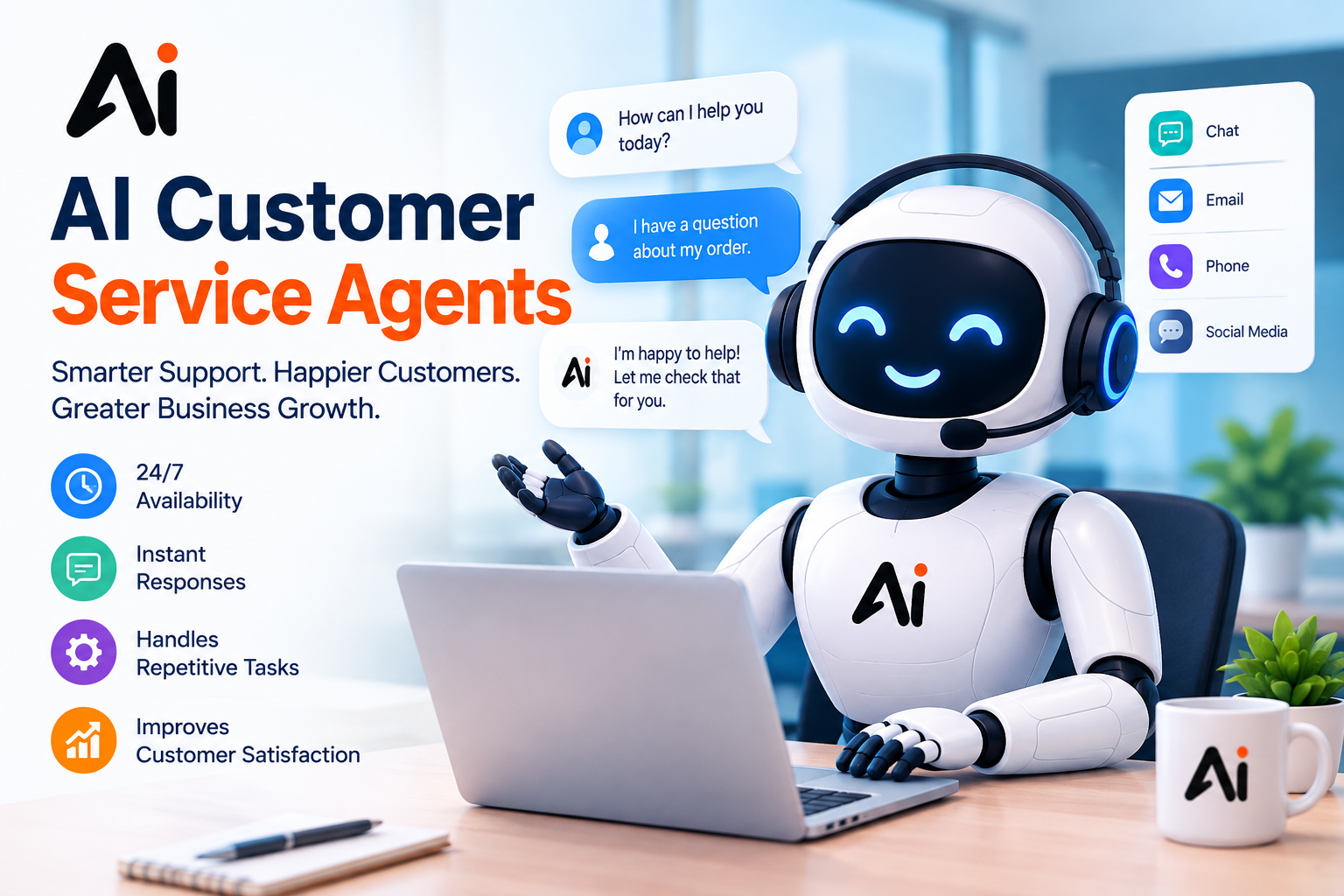

Customer expectations are changing. People want quick answers, accurate information, and helpful service without waiting in a long support queue. Traditional chatbots can answer basic questions, but modern AI agents can also understand customer requests, retrieve relevant information, and complete approved tasks across connected business systems. What AI agents offer customer support automation is more than automated chatting. AI agents can help businesses answer common questions, manage support tickets, track orders, troubleshoot problems, and route complex requests to the right human employee. The best results come from combining reliable knowledge sources, well-defined workflows, secure integrations, and human oversight.
For US businesses, including e-commerce stores, SaaS companies, startups, and growing customer service teams, these capabilities can reduce repetitive work while giving employees more time to handle complicated customer issues. AI agents automate customer conversations, provide knowledge-based answers, classify tickets, execute authorized workflows, offer personalized assistance, and escalate to human agents. Depending on the platform and its integrations, an agent may also update a CRM record, check an order status, or help resolve a routine service request.
Unlike a basic chatbot that follows fixed scripts, an AI agent can interpret a customer’s goal and decide the next supported action. However, its capabilities depend on its configuration, permissions, data quality, and the systems it can access.
Key Takeaways
- Faster responses: AI agents can answer supported customer questions without waiting for an employee.
- Automated workflows: Connected agents can perform approved tasks, such as retrieving order information or updating records.
- Consistent support: A maintained knowledge base helps agents provide more consistent answers.
- Scalable service: AI can handle multiple routine conversations while human employees focus on complex cases.
- Human oversight: Sensitive, uncertain, or high-risk requests should be escalated according to clear rules.
- Choosing the right platform: Compare integrations, resolution quality, security, reporting, and total cost instead of relying on marketing claims alone.
What AI Agents Offer Customer Support Automation in Practice
AI customer support automation uses intelligent software to understand incoming requests, find relevant information, and complete supported actions. The following capabilities explain how this works in real business environments.
1. Automated Answers to Common Questions
AI agents can answer questions about shipping, returns, account access, subscriptions, product features, and company policies. They retrieve relevant information from approved support content and present it in conversational language. An AI customer service chatbot can help customers find answers outside normal business hours. For example, an online store could configure an agent to explain its return policy and direct customers to the correct return process.
The business should regularly review answers for accuracy and update outdated articles. An agent should not invent a policy when the information is missing.
2. Automated Ticket Resolution and Routing
AI-powered ticket management can classify incoming requests by topic, urgency, customer type, and department. Depending on its permissions and integration, an agent may resolve a routine issue or send the ticket to an appropriate employee.
Automated ticket routing helps direct billing questions to finance, technical problems to support specialists, and delivery concerns to the fulfillment team.
This approach supports AI help desk automation by reducing manual sorting and allowing staff to concentrate on cases that require investigation or judgment.
3. Automated Email and Messaging Support
Automated email support allows AI agents to interpret written questions, draft replies, retrieve relevant knowledge, and handle approved requests. Messaging integrations can extend similar support to website chat and other connected channels.
For businesses receiving repeated questions, AI support automation tools can help maintain consistent responses across different channels. The actual channels available depend on the chosen platform and subscription.
4. Customer Data and Workflow Actions
AI agents can become more useful when connected to customer relationship management (CRM) integration, order management, billing, and help desk systems.
For example, an authorized agent might retrieve an order’s status, update a ticket, or record the outcome of a support conversation. These actions require suitable integrations and access permissions; they do not happen automatically simply because a business installs an AI chatbot.
Customer service workflow automation should also include validation rules, activity logs, and approval steps for sensitive actions.
5. Human Agent Handoff
Human agent handoff is essential when an AI system encounters a complex complaint, uncertain information, a sensitive account issue, or a request outside its permissions.
A useful handoff includes the conversation history, the customer’s goal, relevant records, and the steps already attempted. This helps the employee continue the conversation without asking the customer to repeat everything.
A reliable system should make it clear when a human employee needs to take over rather than pretending every problem has been resolved.
What Are the Best AI Agents for Customer Support?
The best AI agents for customer support depend on the company’s size, current help desk, preferred channels, and automation requirements. These platforms are useful starting points for a comparison, not a universal ranking.
| Platform | Best-fit use case | What to evaluate |
| Intercom Fin | Customer-facing support and conversational resolution | Knowledge sources, supported channels, escalation, and resolution-based pricing |
| Zendesk AI agents | Help desk and ticket-oriented customer service | Ticket workflows, authorized actions, channel coverage, and reporting |
| Salesforce Agentforce | CRM-connected service processes | Customer data access, workflow controls, and Salesforce integration |
| HubSpot | Businesses already using HubSpot’s CRM and service tools | Available AI features, plan requirements, and integration needs |
| Freshworks | Teams evaluating customer service software and AI assistance | Support automation, deployment requirements, and total cost |
| Kore.ai | Organizations with complex enterprise support workflows | Governance, voice and chat capabilities, integrations, and orchestration |
1. Intercom Fin
Intercom Fin is a customer-facing AI agent designed to answer questions and resolve support requests using approved support content. Intercom’s documentation describes integrations with existing help desks, so businesses may be able to use Fin without replacing their entire support system.
Intercom reports that Fin resolves an average of 76% of customer queries. This is a vendor-reported figure, not a guarantee of the results a particular business will achieve. Actual performance can vary with the support content, issue types, customer traffic, and configuration.
2. Zendesk AI Agents
Zendesk AI agents support customer conversations across supported channels and can use trusted knowledge sources, workflows, and authorized integrations to resolve requests. Zendesk also documents automated resolutions as a measure of agent usage.
This option may suit businesses that already manage customer inquiries through Zendesk. Before deployment, review channel requirements, resolution allowances, escalation rules, and any additional costs.
3. Salesforce Agentforce
Salesforce Agentforce supports AI-powered service workflows connected to business data and customer service processes. Depending on configuration, these workflows can assist with case resolution, follow-up communications, and escalation to specialists.
It is worth evaluating when a company already relies on Salesforce. Businesses should confirm the necessary licenses, data access, security controls, and implementation work before comparing total costs.
4. HubSpot and Freshworks
HubSpot and Freshworks are additional options for teams comparing customer support automation platforms. Their suitability depends on the products, plans, and integrations available to a particular business.
Companies using an existing CRM or service desk should test whether the platform can use their current customer records and knowledge base. Avoid paying for overlapping features if the current system already handles the required workflows.
5. Kore.ai
Kore.ai is relevant to organizations that need more complex conversational automation across channels and business systems. Investigate its platform when an enterprise needs coordinated workflows, voice support, governance, and integrations beyond simple FAQ responses.
How AI Customer Support Automation Works
AI customer support automation generally follows a repeatable process:
- Receive the request: A customer sends a message, email, or supported voice inquiry.
- Understand the intent: Natural language processing in customer service helps interpret the customer’s question and context.
- Retrieve relevant information: The agent searches approved articles, policies, and connected records.
- Choose the next action: The agent answers the question, asks for clarification, or selects an authorized workflow.
- Execute and verify: If permitted, the system performs an action and checks the result.
- Escalate when needed: A human employee receives cases that require additional judgment or authorization.
- Review performance: Support managers analyze resolution rates, accuracy, customer feedback, and escalation patterns.
Some platforms use large language models for customer support to generate natural responses. Others combine language models with structured rules, retrieval-augmented generation (RAG), and API-based actions. These components help the system work with relevant information, but they do not eliminate the need to test its answers and actions.
What Customer Support Tasks Can AI Agents Automate?
AI agents for customer service can support many routine tasks, although the level of automation varies by business and platform.
| Task | Example | Human involvement |
| FAQs | Explain return or warranty policies | Review content periodically |
| Order tracking | Retrieve a delivery status | Handle missing or disputed records |
| Password support | Guide a customer through account recovery | Verify identity and handle exceptions |
| Ticket classification | Identify topic and urgency | Review incorrect classifications |
| Email replies | Draft or send approved responses | Review sensitive messages |
| Subscription questions | Explain plan details or retrieve account information | Approve restricted changes |
| Refund requests | Check eligibility and gather details | Approve exceptions or high-risk refunds |
| Technical troubleshooting | Guide users through documented steps | Handle unresolved or complex faults |
For example, AI customer support agents for e-commerce may answer shipping questions and guide customers through return procedures. AI support for a software company can explain product features, collect error details, and create technical support tickets. For more insights into gaming platforms and software solutions, explore our guide to Embedtree Games and Software.
The key distinction is between providing information and taking action. An agent that explains how to request a refund is not necessarily authorized to issue one.
What Are the Benefits of AI Agents for Businesses?
AI-powered customer service can provide several operational benefits when implemented with suitable controls.
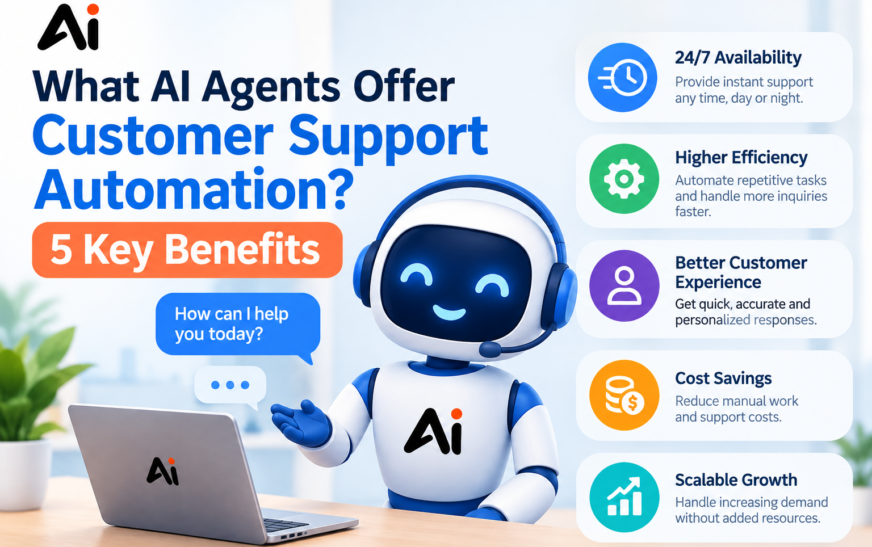
Faster Responses and 24/7 Availability
24/7 customer service automation can help customers receive answers when human teams are offline. This is especially useful for businesses serving customers across multiple time zones.
However, continuous availability does not guarantee immediate resolution. System outages, missing data, complex requests, and third-party integrations can still delay service.
Reduced Repetitive Work
Automated customer support solutions can handle recurring questions and routine workflows, giving human agents more time for difficult cases. Businesses should measure the actual reduction in workload rather than assuming every automated conversation saves the same amount of time.
More Consistent Customer Experiences
An AI virtual support assistant can use approved information to give consistent explanations of company policies and procedures. This can reduce differences between responses from individual employees, provided the knowledge base is accurate and current.
Better Support at Higher Volumes
Intelligent customer support systems can help manage increases in incoming conversations without requiring every request to be handled manually. The business still needs to monitor response quality, service availability, and escalation capacity as volume grows.
Useful Performance Insights
AI-driven customer experience reporting can reveal recurring complaints, unresolved questions, and gaps in help content. Support managers can use those findings to improve documentation, product instructions, and service workflows.
How to Automate Customer Support Using AI
Businesses can introduce AI automation in manageable stages instead of attempting to automate every customer interaction immediately.
Step 1: Identify Repetitive Requests
Review recent tickets and group common issues such as order status, billing questions, account access, and product instructions. Choose a low-risk, high-volume use case first.
Step 2: Prepare the Knowledge Base
Create accurate support articles, policy documents, troubleshooting instructions, and escalation guidance. Remove conflicting or outdated information before connecting it to an AI system.
AI knowledge base integration works best when the agent can retrieve relevant, current content and identify when a question has no reliable answer.
Step 3: Connect the Required Systems
Connect the agent to the support platform, CRM, or other approved systems required for the chosen workflow. Give it only the permissions needed to perform its tasks.
Step 4: Define Safety and Escalation Rules
Specify which actions the agent may complete independently and which require employee approval. Include identity verification, refund limits, privacy protections, and rules for uncertain answers.
Step 5: Test Before Full Deployment
Test normal questions, unusual wording, missing information, incorrect assumptions, and attempts to bypass company rules. Verify both the response and any action taken in connected systems.
Step 6: Measure Results and Improve
Track resolution quality, repeat contacts, customer satisfaction, escalation rates, response times, and cost per resolved issue. Review failures regularly and update the knowledge base and workflows.
How to Choose Customer Support AI Tools
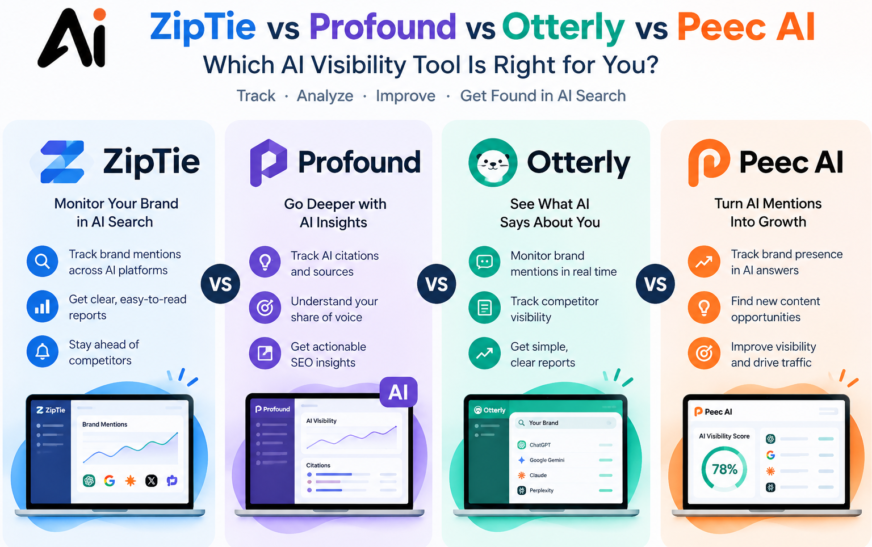
Before selecting customer support AI tools, compare the capabilities that matter most to your team, including automation features, reporting, ease of use, and pricing. You can also explore our guide to ZipTie vs Profound vs Otterly vs Peec AI to understand how different AI visibility tools compare and choose the right solution for your business needs.
- Integration: Can the platform connect to your existing help desk, CRM, and knowledge sources?
- Resolution quality: Does it solve real customer requests accurately, or simply produce fluent responses?
- Channel coverage: Does it support the channels your customers actually use?
- Human escalation: Can it transfer conversations with useful context?
- Security and permissions: Can you restrict access, review actions, and protect customer data?
- Reporting: Can you identify incorrect answers, failed actions, repeat contacts, and successful resolutions?
- Pricing: Does the cost depend on seats, usage, automated resolutions, or other factors?
- Implementation: How much configuration, testing, and maintenance will the system require?
For small businesses, an existing help desk with built-in AI may be easier to manage than a separate enterprise platform. Larger organizations may need advanced orchestration, detailed governance, and custom integrations.
Affordable AI customer support tools for startups should be evaluated by their total cost of ownership, not only the advertised starting price.
What Are the Risks and Limitations of AI Support Automation?
AI agents can misunderstand questions, retrieve outdated information, generate inaccurate responses, or take an inappropriate action if their permissions and workflows are poorly configured.
Customer service teams should apply the following safeguards:
- Restrict agents to approved data and authorized actions.
- Require verification for account changes and sensitive requests.
- Escalate uncertain or high-impact cases to a human employee.
- Maintain logs of important actions and review failures.
- Protect personal information and limit unnecessary data access.
- Test for prompt injection and attempts to obtain restricted information.
- Provide a clear route to human assistance.
The NIST Generative AI Risk Management Profile provides a useful framework for thinking about generative AI risks and trustworthiness. Businesses should adapt their controls to their industry, legal obligations, and actual use cases.
How AI Agents Differ From Traditional Chatbots
Traditional rule-based chatbots usually follow predefined scripts and decision trees. They are useful for predictable interactions, such as choosing a department or finding a specific help article.
AI agents can interpret more varied language, use contextual information, and select among supported actions. With suitable integrations, an agent may retrieve an order record or update a support ticket instead of simply providing instructions.
However, AI agents are not automatically better for every task. A simple chatbot may be cheaper, more predictable, and easier to audit for a narrow workflow. The right choice depends on the complexity of customer requests, the consequences of errors, and the level of automation required.
Conclusion: Are AI Agents Worth Using for Customer Support?
Understanding what AI agents offer customer support automation helps businesses distinguish practical automation from marketing promises. AI agents can answer routine questions, classify tickets, retrieve customer information, support approved workflows, and route complex issues to human employees. Their value depends on the quality of the information they use and the actions they are permitted to perform.
For a small business, starting with FAQs and ticket classification may be the most practical approach. A growing e-commerce company may prioritize order tracking and return guidance, while an enterprise may require CRM-connected workflows, governance, and multichannel support.
Before choosing a platform, run a controlled pilot with real support questions, measure successful resolutions, calculate the full cost, and review failures. A well-designed combination of automation and human expertise is generally more dependable than trying to automate every conversation at once.
Frequently Asked Questions
1. What AI agents offer customer support automation?
AI agents offer conversational answers, ticket classification, knowledge retrieval, workflow execution, customer data lookup, and escalation to human employees. The exact capabilities depend on the platform, integrations, permissions, and configuration.
2. How do AI agents automate customer service?
AI agents interpret customer requests, retrieve relevant information, and choose an appropriate response or approved action. They can also transfer unresolved requests to human employees.
3. What are the best AI agents for customer support?
Intercom Fin, Zendesk AI agents, Salesforce Agentforce, Kore.ai, and suitable HubSpot or Freshworks products are options to evaluate. The best choice depends on your existing systems, support channels, budget, and automation goals.
4. Can AI agents resolve customer support tickets automatically?
Yes. AI agents can resolve supported tickets when they have reliable information and the required permissions. Complex, sensitive, or uncertain cases should be escalated.
5. How do AI customer support agents work?
AI customer support agents combine language understanding, information retrieval, workflow logic, and sometimes API integrations to respond to requests. Their performance depends on the accuracy of their data and the reliability of their connected systems.
6. Are AI agents better than traditional chatbots?
AI agents can handle more flexible conversations and supported actions, while traditional chatbots can be simpler and more predictable for fixed tasks. The best option depends on the workflow.
7. Can small businesses use AI customer support agents?
Yes. Small businesses can start with FAQ automation, basic ticket classification, and after-hours assistance. They should choose a solution that fits their existing support tools and expected usage.
8. How much does customer support automation cost?
Costs vary by provider, subscription, usage, automated resolutions, integrations, and implementation requirements. Check current pricing and calculate the total cost for your expected support volume before purchasing.
9. What customer service tasks can AI agents automate?
Common tasks include answering FAQs, retrieving order details, classifying tickets, drafting email replies, guiding troubleshooting, and handling approved workflow actions. Some tasks still require human authorization.
10. When should an AI agent transfer a customer to a human?
An AI agent should transfer a customer when it cannot confidently answer, encounters a sensitive or high-impact request, reaches a permission limit, detects a complaint requiring judgment, or receives a direct request for human assistance.
11. Can AI agents provide customer support around the clock?
Yes. AI agents can provide automated support around the clock when the platform and connected systems are available. Businesses should still plan for outages, complex requests, and situations that require human intervention.
12. How can businesses measure customer support automation success?
Measure successful resolution rate, accuracy, repeat contacts, customer satisfaction, escalation rate, response time, and cost per resolved issue. Compare the results against a baseline from before deployment.