
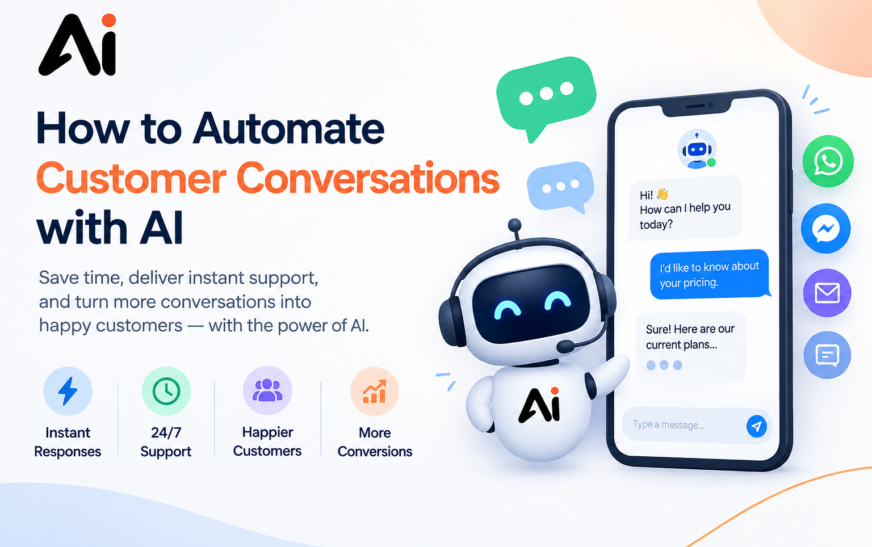
Every business receives repetitive customer questions. Customers want quick answers about products, pricing, availability, orders, appointments, returns, and support. When employees answer the same questions repeatedly, valuable time can be lost. This is where AI customer service and conversational AI can help. Businesses can use artificial intelligence to understand customer messages, provide instant answers, collect information, qualify leads, schedule appointments, and handle routine support requests.
Learning how to automate customer conversations with AI does not mean removing humans from customer service. Instead, AI can handle repetitive interactions while human agents focus on complex situations that require judgment, empathy, or specialized knowledge. To automate customer conversations with AI, first identify repetitive customer questions and support requests. Then choose an AI customer service tool, connect it to your website, CRM, or messaging channels, and provide accurate business information.
Next, create automated conversation flows for FAQs, lead qualification, appointment scheduling, order tracking, and other common tasks. Add a clear human handoff process for complicated requests. Finally, monitor conversations, collect customer feedback, and regularly update the AI’s knowledge base. This approach combines automated customer support with human assistance to create a faster and more scalable customer experience.
Key Takeaways
- AI customer conversations can automate many repetitive customer interactions.
- Conversational AI can understand questions and provide natural-language responses.
- Businesses can use AI for FAQs, customer inquiries, lead qualification, appointments, and follow-ups.
- AI customer service automation can provide support outside normal business hours.
- Human agents can handle complex issues that AI cannot resolve.
- Accurate business information is essential for reliable AI responses.
- Regular monitoring and improvement are important for successful customer service automation.
- Small businesses can start with simple AI workflows before expanding automation.
What Does AI Customer Conversation Automation Mean?
AI customer conversation automation means using artificial intelligence to communicate with customers and handle specific interactions automatically.
Traditional customer service often depends on employees manually answering every customer message. This can become difficult when a business receives hundreds or thousands of inquiries.
With AI-powered customer service, an AI system can analyze a customer’s message, understand the intent behind it, retrieve relevant information, and generate a response.
For example, imagine a customer asks, “Do you offer delivery on weekends?” Instead of waiting for an employee, an AI assistant can identify the question and provide the answer based on the company’s delivery policy. This is an example of customer communication automation.
AI can also perform actions beyond answering questions. Depending on the tools and integrations available, it may collect customer details, qualify leads, schedule appointments, check order information, or transfer a conversation to a human representative.
How Does AI Automate Customer Conversations?
AI conversation automation generally combines natural-language processing, machine learning, business information, automation workflows, and integrations.
When a customer sends a message, the system first analyzes what the customer wants. It then determines whether it can answer the question automatically or whether the conversation should be transferred to a human.
For example, a customer might ask:
“Where is my order?”
The AI can recognize that this is an order-tracking request. If the system is connected to the appropriate order database, it may retrieve the relevant information and provide an update.
If the customer instead asks about a complicated billing dispute, the AI can collect basic information and transfer the request to a support representative.
This makes AI support automation useful for both simple and structured customer interactions.
How to Use AI for Customer Conversations
Businesses can use AI for customer conversations in several ways, making it an important part of business automation.
The first is answering frequently asked questions. AI can provide information about products, services, pricing, availability, policies, and business hours. The second is collecting information. An AI assistant can ask customers for names, contact details, order numbers, requirements, or appointment preferences.
The third is guiding customers through specific processes. For example, an AI chatbot can help a visitor find the right product or determine which support category matches their problem. Businesses can also use AI to send follow-ups, qualify leads, and provide basic customer support.
By combining AI customer service with business automation, companies can reduce repetitive manual tasks while keeping customer interactions fast and consistent. The key is to identify conversations that are repetitive, predictable, and suitable for automation.
What Types of Customer Conversations Can AI Automate?
One of the biggest advantages of customer service automation is its flexibility. AI can support different types of conversations depending on the business and available integrations.
AI for Answering Customer Questions
AI for answering customer questions is one of the most common applications.
Businesses can train or configure an AI system to answer questions about:
- Products and services
- Pricing
- Business hours
- Availability
- Policies
- Shipping
- Returns
- Basic troubleshooting
Instead of searching through a website or waiting for an employee, customers can ask their questions directly.
AI for Handling Customer Inquiries
AI for handling customer inquiries can help businesses manage high volumes of routine messages.
For example, an online store might receive questions such as “Is this product available?” or “How long does delivery take?”
AI can answer these questions automatically when the necessary information is available.
AI for Responding to Customers
Businesses can use AI for responding to customers through websites, live chat, email, and messaging channels.
AI-generated responses can help provide immediate answers while reducing the amount of repetitive work performed by support teams.
AI for Lead Qualification
AI for lead qualification allows businesses to identify potential customers before sending them to a sales representative.
An AI assistant can ask questions about a customer’s requirements, budget, timeline, or preferred service. Based on the answers, the system can collect the information and route the lead to the appropriate team.
AI for Customer FAQs
An AI for customer FAQs system can automatically answer common questions using information provided by the business.
This can be particularly useful for companies that receive the same questions repeatedly.
AI for Appointment Scheduling
AI for appointment scheduling can help customers find suitable times and provide the necessary information to schedule an appointment.
This can reduce back-and-forth communication between customers and staff.
AI for Order Tracking
Businesses with appropriate system integrations can use AI for order tracking.
Customers can ask about their order status, delivery progress, or other relevant information without contacting a support representative for every update.
AI for Complaint Handling
AI for complaint handling can collect initial information about a customer’s problem, acknowledge the issue, and route the case to an appropriate employee.
For sensitive or complicated complaints, human involvement remains important.
AI for Customer Follow-Ups
AI for customer follow-ups can help businesses communicate with customers after purchases, inquiries, appointments, or support interactions.
Automated follow-ups can remind customers about appointments, request feedback, or provide additional information.
AI for 24/7 Customer Support
One important application is AI for 24/7 customer support.
Unlike human teams that may operate according to specific schedules, AI systems can provide automated assistance around the clock. This can be particularly useful for businesses serving customers across different time zones.
7 Smart Ways to Automate Customer Conversations
1. Automate Customer Chats with AI
Businesses receive customer messages throughout the day, and answering every conversation manually can consume valuable time. Automate customer chats with AI by using an AI-powered chatbot that can understand common questions, provide instant answers, and guide customers toward the right information. These systems can handle conversations about pricing, products, services, availability, order updates, and basic support without requiring an employee to respond to every message. AI can also keep conversations available around the clock, helping businesses respond when customers contact them outside normal working hours. The key is to train the chatbot with accurate business information and define which questions it should handle automatically. For more complex requests, the conversation can be transferred to a human representative.
2. Automate Customer Replies Automatically
One of the easiest ways to improve response time is learning how to automate customer replies with AI. AI tools can generate responses to frequently asked questions and common customer messages within seconds. Businesses can create automated responses for greetings, pricing questions, appointment requests, shipping information, product details, and support queries. Instead of writing the same response repeatedly, AI can provide a consistent starting answer while allowing customers to receive immediate assistance.
3. Use AI for Customer Support Automation
AI customer support automation can streamline repetitive support tasks and reduce the workload on customer service teams. AI can categorize incoming questions, answer routine requests, collect basic customer information, and direct conversations to the appropriate department. This allows support representatives to spend more time handling complicated issues that require human judgment. A well-designed system should also include clear escalation rules so customers can reach a human whenever necessary.
4. Add an AI Chatbot for Customer Service
An AI chatbot for customer service can act as the first point of contact between a business and its customers. It can answer frequently asked questions, explain services, provide basic troubleshooting, and help visitors find relevant information. Modern AI chatbots can understand natural language rather than requiring customers to select from rigid menus. Businesses should connect the chatbot to reliable information sources and regularly review conversations to improve its responses.
5. Automate Customer Inquiries with AI
Businesses can automate customer inquiries with AI by identifying the questions they receive most often. For example, an online store may receive repeated questions about delivery times, returns, payment methods, and product availability. An AI system can answer these questions instantly and collect additional details when needed. This creates a faster customer experience while reducing repetitive work for employees.
6. Automate Repetitive Customer Questions
Learning how to automate repetitive customer questions starts with identifying patterns in previous conversations. Review emails, live chats, social media messages, and support tickets to find questions that appear frequently. These questions can then be added to an AI knowledge base or chatbot workflow. The system can provide instant answers while escalating unusual or sensitive requests to a human representative.
7. Use WhatsApp AI Customer Support
WhatsApp AI customer support can help businesses manage customer conversations directly through WhatsApp. AI can respond to common questions, share business information, collect customer details, send updates, and guide users through simple processes. For example, a customer could ask about a service, receive available options, and request further assistance without waiting for an employee. When the request becomes complicated, the system can transfer the conversation to a human agent. This combination of AI automation and human support can create a smoother customer communication workflow.
How to Automate Customer Conversations with AI Step by Step
If you are wondering how to automate customer conversations with AI, the process can be broken into several practical steps.
1. Identify Repetitive Customer Conversations
Start by reviewing your existing customer conversations.
Look for questions that appear frequently. These might include product questions, shipping requests, appointment inquiries, pricing questions, or basic troubleshooting.
These repetitive conversations are usually good candidates for automation.
Do not try to automate everything at once. Start with a small group of predictable interactions.
2. Choose an AI Customer Service Tool
The next step is selecting an appropriate AI customer service platform with automation tools that can automate routine inquiries, manage customer conversations, and streamline support workflows.
When evaluating AI tools for customer service, consider features such as:
- AI chatbot capabilities
- Knowledge-base integration
- CRM integration
- Live chat
- Analytics
- Automation workflows
- Human handoff
- Multi-channel support
The right tool depends on your business size, customer volume, communication channels, and support requirements.
3. Connect Your Website, CRM, or Messaging Channels
Once you select your platform, connect it to the channels where customers communicate with your business.
These might include your website, live chat, email, CRM, or messaging platforms.
CRM AI automation can be particularly useful because it allows customer information to be incorporated into automated workflows.
For example, an AI system may collect a customer’s information and pass the conversation to a sales or support representative with relevant context.
4. Train AI on Your Business Information
AI needs reliable information to provide useful responses.
Create or connect a knowledge base containing your:
- Frequently asked questions
- Product information
- Service details
- Policies
- Pricing information
- Shipping information
- Return procedures
- Contact information
Accurate information is essential. If the AI has outdated or incorrect information, it may provide responses that confuse customers.
5. Create Automated Conversation Flows
The next step is designing conversation flows.
For example, an AI customer service chatbot might follow this process:
Customer asks a question → AI identifies the topic → AI provides an answer → customer asks a follow-up → AI continues the conversation → complex issue is transferred to a human.
These workflows can be designed for different customer journeys.
6. Add Human Handoff for Complex Issues
Successful AI customer support does not necessarily mean eliminating human agents.
Some conversations require human judgment, detailed investigation, or personal assistance.
Create a clear escalation process. If the AI cannot answer a question confidently, the customer should have a straightforward way to reach a human representative.
This hybrid approach combines AI automation with human support.
7. Test and Improve AI Responses
Before fully relying on automation, test the system with different customer questions.
Check whether it:
- Understands customer intent
- Provides accurate information
- Handles follow-up questions
- Knows when to escalate
- Avoids unnecessary responses
- Maintains a natural conversation
After launch, continue reviewing real interactions and improve the system based on what you learn.
How to Create an AI Customer Service Chatbot
Businesses looking at how to create an AI customer service chatbot should begin by defining the chatbot’s purpose.
An AI chatbot for customer service might focus on FAQs, product information, support requests, or lead collection.
A customer service chatbot can be placed on a website or integrated into other customer communication channels.
The chatbot should have access to accurate business information and clear rules about what it can and cannot handle.
For example, a chatbot may answer general questions but transfer billing disputes to a human employee.
Benefits of Automating Customer Conversations with AI
There are several benefits of AI customer service when automation is implemented correctly.
Faster Customer Response
One of the main advantages is faster customer response with AI.
Customers can receive answers to routine questions without waiting for an employee to become available.
24/7 Customer Support
Businesses can provide 24/7 customer support with AI, allowing customers to access basic assistance outside regular working hours.
Reduced Support Workload
AI can handle repetitive conversations, allowing employees to spend more time on complicated customer problems.
This can contribute to AI customer service efficiency.
Reduced Customer Support Costs
Businesses may be able to reduce customer support costs with AI by automating repetitive tasks and improving the efficiency of existing support teams.
Actual savings depend on customer volume, technology costs, staffing, and how much work can be automated.
Improved Customer Experience
Businesses can improve customer experience with AI by making information easier to access and reducing unnecessary waiting.
Improved Customer Engagement
AI can also improve customer engagement with AI by responding quickly and maintaining conversations across different channels.
AI Customer Service vs. Traditional Customer Support
AI and traditional customer support can serve different purposes.
| Feature | AI Customer Service | Traditional Customer Support |
| Availability | Can operate 24/7 | Depends on staff schedules |
| Response time | Often immediate for automated tasks | Depends on agent availability |
| Repetitive questions | Suitable for automation | Usually handled manually |
| Scalability | Can handle many routine conversations | Requires additional staffing as volume grows |
| Complex issues | Can escalate to humans | Usually handled directly by agents |
| Personal interaction | Limited by system design | Direct human interaction |
Many businesses can combine both approaches instead of treating them as mutually exclusive.
AI Chatbot for Customer Support and Business Automation
An AI chatbot for customer support can be used alongside broader AI business automation.
For example, an online business could use AI to answer product questions, qualify leads, schedule appointments, provide order updates, and send follow-ups.
This creates a broader customer communication system rather than a chatbot that only answers FAQs.
How Small Businesses Can Automate Customer Support with AI
Small businesses can start with a limited number of automated use cases.
Instead of attempting to automate every interaction, identify the questions employees answer most frequently.
For example, a small business could start with:
- Frequently asked questions
- Product or service information
- Appointment scheduling
- Lead collection
- Basic customer support
- Follow-up messages
Once these workflows work reliably, the business can gradually expand its automation.
This approach makes how to automate customer conversations for small businesses more manageable and easier to monitor.
Best AI Customer Service Tools and Technology
There is no single tool that works for every business. When researching the best AI customer service tools, businesses should evaluate their specific requirements.
AI Customer Support Software
AI customer support software can combine chatbot functionality, ticket management, knowledge bases, analytics, and automated workflows.
Conversational AI Platforms
Conversational AI platforms are designed to create natural-language interactions between businesses and customers.
Customer Service AI Tools
Customer service AI tools can automate FAQs, customer inquiries, support requests, and other repetitive tasks.
AI Chatbot Software
AI chatbot software can provide automated conversations on websites and other digital channels.
AI Helpdesk Automation
AI helpdesk automation can help categorize requests, suggest responses, answer basic questions, and route tickets.
AI Live Chat
AI live chat combines automated responses with live customer communication. Customers can interact with AI first and reach human agents when necessary.
AI Messaging Automation
AI messaging automation can manage repetitive conversations across supported messaging platforms.
Generative AI for Customer Service
Generative AI for customer service can create natural-language responses based on customer questions and relevant business information.
Common Mistakes to Avoid When Automating Customer Conversations
Automating Every Interaction
Not every conversation should be automated. Customers with complicated or sensitive issues may need a human representative.
Using Inaccurate Information
AI responses are only as reliable as the information available to the system. Keep your knowledge base current.
Making Human Support Difficult to Reach
Customers should not feel trapped inside an automated system. Provide a clear human handoff option.
Ignoring Customer Feedback
Customer feedback can reveal where the AI is useful and where it needs improvement.
Failing to Monitor Conversations
Regularly review automated conversations to identify inaccurate answers, misunderstood questions, and opportunities to improve workflows.
How Can AI Automate Customer Service?
If you are asking how can AI automate customer service, the process begins by identifying predictable customer interactions.
AI can then recognize customer intent, retrieve relevant information, generate responses, perform supported tasks, and escalate complex requests.
For example:
Customer question → AI identifies intent → AI provides information → AI completes the task or collects details → Human agent handles complex issues.
This workflow can form the foundation of an AI customer service automation for businesses strategy.
How to Automate Customer Support Using AI
To understand how to automate customer support using AI, start with your existing support data.
Identify repetitive tickets and questions, choose suitable AI customer support software, create a knowledge base, develop workflows, and establish escalation rules.
Then monitor performance and gradually expand the automation.
How AI Can Improve Customer Communication
How AI can improve customer communication depends on how businesses implement it.
AI can help provide faster responses, consistent information, automated follow-ups, and 24/7 availability.
However, customer communication should still provide appropriate human assistance when a situation requires more context or personal attention.
Common Mistakes in AI Customer Conversation Automation
Some businesses attempt to automate too much too quickly.
A better approach is to start with simple and predictable conversations. Businesses should also avoid using outdated information, hiding human support options, or failing to review AI-generated responses.
Good customer experience automation requires ongoing monitoring rather than a one-time setup.
How to Improve AI Customer Conversations Over Time
AI conversation automation should be treated as an ongoing process.
Review the questions customers ask, identify conversations that frequently require human intervention, and update your knowledge base accordingly.
You can also examine response times, escalation rates, customer feedback, and frequently unresolved questions.
These insights can help improve AI automation for better customer experience over time.
Frequently Asked Questions About AI Customer Conversations
How to automate customer conversations with AI chatbot?
To automate customer conversations with an AI chatbot, connect the chatbot to your website or communication channel, provide accurate business information, create automated workflows, and establish human escalation rules.
How to automate customer inquiries with AI?
You can automate customer inquiries with AI by identifying common questions and creating automated responses based on an accurate knowledge base.
How to automate customer replies using AI?
To automate customer replies using AI, use an AI chatbot or customer support platform that can recognize customer intent and generate responses based on your business information.
How to automate customer service without human agents?
Businesses can automate many routine customer service tasks, but not every situation should necessarily be handled without human support. Complex, sensitive, or unusual issues may require human involvement.
How to use conversational AI for customer service?
To use conversational AI for customer service, connect a conversational AI platform to your customer channels, provide relevant business information, create workflows, and establish escalation rules.
How to build an AI customer support system?
To build an AI customer support system, identify repetitive support tasks, select suitable technology, connect customer channels, create a knowledge base, develop workflows, and monitor the system after deployment.
What are the benefits of customer service automation?
The benefits of customer service automation can include faster responses, reduced repetitive workloads, 24/7 automated assistance, greater scalability, and more efficient use of human support teams.
Conclusion
Learning how to automate customer conversations with AI can help businesses manage repetitive customer interactions more efficiently. From AI for answering customer questions and AI for handling customer inquiries to lead qualification, appointment scheduling, order tracking, complaint handling, and customer follow-ups, AI can support many parts of the customer journey.
The process starts with identifying repetitive conversations and selecting an appropriate AI customer service tool. Businesses can then connect their communication channels, provide accurate information, create automated workflows, and establish human handoff for complex issues.
The goal of AI-powered customer service is not simply to automate as much as possible. Effective customer service automation combines the speed and scalability of AI with the context and personal assistance that human agents can provide.
By starting with simple use cases, monitoring real customer conversations, and continuously improving the system, businesses can develop a more efficient approach to automated customer support while keeping the customer experience at the center of the process.