

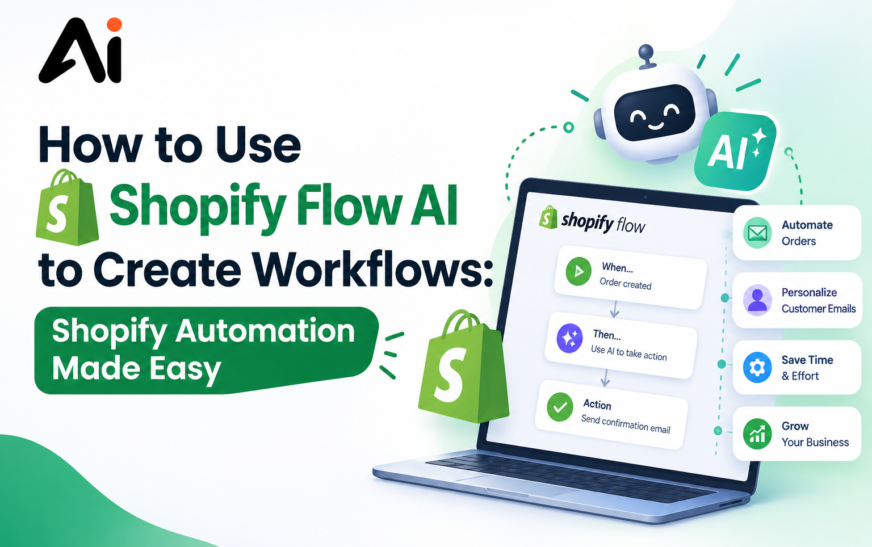
Want to spend less time repeating Shopify tasks and more time growing your store? Shopify Flow AI can help turn routine ecommerce processes into automated workflows with less manual effort.
To use Shopify Flow AI to create workflows, start by opening Shopify Flow, describe what you want to automate, choose the appropriate trigger, add conditions, select actions, test the workflow, and then activate it. You can use Shopify Flow templates or Shopify Flow Sidekick to simplify workflow creation and build no-code Shopify automation for common store tasks.
Running a Shopify store involves many repetitive activities, including managing orders, monitoring inventory, organizing customers, sending notifications, and handling fulfillment processes. Performing these tasks manually can take valuable time and may lead to inconsistent results.
Shopify Flow AI provides a way to create automated processes that respond to events in your store. Instead of manually checking every order or customer activity, merchants can create Shopify Flow workflows that perform specific actions when defined conditions are met.
For merchants interested in Shopify AI automation, understanding how triggers, conditions, and actions work is essential. With the right setup, Shopify workflow automation can help reduce repetitive work while making ecommerce operations more efficient.
Key Takeaways
- Shopify Flow can automate repetitive ecommerce tasks.
- Shopify Flow workflows use triggers, conditions, and actions.
- Shopify Flow Sidekick can help users create workflows using natural-language instructions.
- Shopify Flow templates can simplify common automation tasks.
- Shopify order automation can reduce manual order-related work.
- Shopify inventory automation can help monitor stock-related events.
- Shopify customer automation can organize and manage customer activities.
- Shopify Flow integrations and connectors can extend automation across other tools.
- No-code Shopify automation makes workflow creation accessible without advanced programming skills.
- Testing workflows before activation can help prevent unwanted automated actions.
What Is Shopify Flow AI?
Shopify Flow AI refers to using Shopify’s automation capabilities and AI-assisted features to help create and manage workflows. Shopify Flow allows merchants to automate tasks by connecting an event, specific conditions, and one or more actions.
For example, a workflow could detect when an order meets certain criteria and then perform an automated action. This makes Shopify Flow automation useful for stores that need to manage large numbers of orders, customers, products, or inventory events.
The AI-assisted approach can make workflow creation easier because users can describe what they want to accomplish instead of building every workflow element from scratch.
How Does Shopify Flow AI Work?
Understanding how Shopify Flow AI works starts with three basic components: triggers, conditions, and actions. These components determine when a workflow starts, what requirements must be met, and what happens afterward.
Shopify Flow Triggers
A Shopify Flow trigger is the event that starts a workflow. Depending on the available events and connected apps, a trigger might relate to an order, customer, product, inventory event, or another activity.
Choosing the right trigger is important because it determines when the automation begins.
Shopify Flow Conditions
Shopify Flow conditions allow you to control when an action should happen. Instead of automatically responding to every event, you can specify requirements that must be satisfied.
For example, a workflow could use conditions to identify particular order values, customer characteristics, product information, or other criteria.
Shopify Flow Actions
Shopify Flow actions determine what happens after the trigger and conditions are satisfied. An action could update information, add a tag, send a notification, or perform another supported automation task.
Together, triggers, conditions, and actions create Shopify automated workflows that can handle repetitive processes.
How to Use Shopify Flow AI to Create Workflows
If you’re wondering how to create Shopify Flow workflows, the process can be approached step by step. The exact options available can depend on your Shopify setup and connected apps.
1. Open Shopify Flow
Start by opening Shopify Flow from your Shopify administration area. Review the available workflow options and consider which repetitive task you want to automate first.
Choose a process with a clear beginning and outcome. Simple processes are often a good starting point for learning Shopify Flow automation.
2. Describe Your Workflow in Plain Language
When using AI-assisted workflow creation, explain what you want the automation to accomplish in simple language.
For example, you could describe a workflow that identifies a particular type of order and sends a notification to your team. Clear instructions can help you create workflows with Shopify Flow more efficiently.
3. Choose the Right Shopify Flow Trigger
Next, select the event that should start the workflow. The correct Shopify Flow trigger depends on the process you want to automate.
If you want to automate Shopify orders, for example, select an order-related event that matches your intended workflow.
4. Add Conditions
Add Shopify Flow conditions when the workflow should only run for specific situations. Conditions help prevent automation from affecting every event.
For example, you could create a condition based on order information, customer details, product attributes, or inventory-related data.
5. Select Actions
After setting your conditions, select the appropriate Shopify Flow actions. Actions determine what the workflow does once its requirements are satisfied.
This could include updating information, adding tags, notifying staff, or triggering another supported process.
6. Test the Workflow
Before activating the automation, review and test the workflow carefully. Check whether the trigger, conditions, and actions behave as expected.
Testing is particularly important for Shopify automation workflows that can affect orders, customers, inventory, or fulfillment.
7. Turn On Your Shopify Workflow
Once everything works correctly, activate the workflow. Your Shopify automated workflow can then respond to matching events according to the rules you created.
Continue monitoring important workflows after activation so you can make adjustments when your store’s processes change.
How to Use Shopify Flow Sidekick
Shopify Flow Sidekick can make it easier to create workflows by allowing merchants to explain the automation they want in natural language.
Instead of manually planning every component immediately, you can describe the desired result and then review the workflow that is generated or suggested.
How to Use Shopify Flow Sidekick
To learn how to use Shopify Flow Sidekick, start with a specific description of the task you want to automate. Mention the event that should start the process and the result you want.
For example, instead of saying “automate orders,” provide more context about which orders should trigger the workflow and what your team should do when they are identified.
Always review AI-generated workflow logic before activating it.
Best Shopify Flow AI Workflow Examples
The best Shopify Flow workflows depend on your store’s operations. However, several common use cases can demonstrate how Shopify AI workflow automation for ecommerce can work.
Automate New Orders
Shopify order automation can help merchants respond to specific order events without manually checking every transaction.
You can build workflows that identify particular order characteristics and then trigger appropriate actions.
Automate Inventory Alerts
Shopify inventory automation can help stores respond to inventory-related events and handle automated queries more efficiently. A workflow can be designed to notify staff when certain inventory conditions occur, helping businesses automate routine inventory tasks.
This can make inventory management more proactive and reduce the need for constant manual monitoring.
Tag VIP Customers
Shopify customer automation can help organize customers based on specific characteristics or activities.
For example, eligible customers could receive a particular tag so your team can identify them more easily.
Detect High-Risk Orders
Shopify Flow can also support Shopify fraud prevention automation by helping merchants respond to certain order or risk-related conditions. Businesses should carefully review their automation rules and avoid relying on business automation alone when making important decisions.
Automate Customer Segmentation
Customer-related events can be used to create automated processes for organizing customers into useful groups.
This can support marketing, customer service, and retention workflows.
Send Team Notifications
Automated notifications can keep staff informed when important events occur. Instead of manually monitoring the store, your team can receive notifications based on predefined workflow conditions.
Automate Product Management
Product-related workflows can help reduce repetitive administrative tasks. This can be useful for stores managing large catalogs or frequent product updates.
How to Automate Shopify With AI
Learning how to automate Shopify with AI involves identifying repetitive processes that follow predictable rules. AI can assist with workflow creation, while Shopify Flow handles the defined automation logic.
AI Workflows for Shopify
AI workflows for Shopify can help merchants translate business requirements into structured automation processes.
The best workflows usually focus on repetitive activities with clear triggers and predictable outcomes.
Shopify AI Automation for Ecommerce
Shopify AI automation can support ecommerce operations by reducing repetitive manual processes across orders, customers, inventory, fulfillment, and other store activities.
No-Code Shopify Automation
One advantage of Shopify Flow is its no-code approach. No-code Shopify automation allows merchants to create workflows without needing to write traditional programming code.
This makes workflow automation more approachable for store owners and ecommerce teams.
Shopify Order, Inventory, and Customer Automation
Different types of ecommerce operations can benefit from workflow automation.
Shopify Order Automation
Shopify order automation can help merchants respond to order-related events, organize orders, and notify relevant team members.
Shopify Inventory Automation
Shopify inventory automation can help monitor stock-related events and alert teams when specific inventory conditions occur.
Shopify Customer Automation
Shopify customer automation can help organize customer records and automate actions based on customer-related events.
Shopify Marketing Automation
Shopify marketing automation can support repetitive marketing-related processes, such as organizing customers or triggering internal workflows based on specific store events.
Shopify Fulfillment Automation
Shopify fulfillment automation can help teams respond to fulfillment-related events and reduce repetitive administrative work.
Shopify Fraud Prevention Automation
Shopify fraud prevention automation can help flag or respond to specific risk-related conditions. However, important fraud decisions should still receive appropriate human review.
Shopify Flow Templates vs. Custom Workflows
Shopify Flow templates can be useful when you want to start quickly with an existing automation idea. Templates provide a foundation that can often be reviewed and adjusted for your store’s requirements.
Custom workflows are better when your business process has specific rules that do not match an existing template.
For beginners, starting with a template can be an easier way to understand Shopify Flow triggers, conditions, and actions before creating more advanced workflows.
Shopify Flow Integrations and Connectors
Shopify Flow integrations and Shopify Flow connectors can extend automation beyond basic Shopify activities.
Connectors can allow workflows to interact with supported apps and services. This makes Shopify ecommerce automation more flexible because businesses can connect different parts of their technology stack.
Before using an integration, review its available triggers and actions to make sure it supports the process you want to automate.
Shopify Flow AI vs. Traditional Automation
Traditional automation generally relies on predefined rules that users configure manually. AI-assisted automation can make the setup process easier by allowing users to describe their desired workflow using natural language.
However, AI does not eliminate the need for human oversight. Merchants should review workflow logic, conditions, actions, permissions, and potential business consequences before activating important automations.
The strongest approach is often to combine AI assistance with clear business rules and human review.
Benefits of Using Shopify Flow for Ecommerce Automation
Shopify workflow automation can provide several practical benefits for ecommerce businesses by helping them improve automation, reduce repetitive tasks, and streamline everyday operations.
Save Time on Repetitive Tasks
Automating repetitive processes can reduce the amount of time employees spend manually checking and updating store information.
Reduce Manual Errors
Consistent automated rules can help reduce mistakes caused by repetitive manual processes.
Improve Ecommerce Workflow Automation
Ecommerce workflow automation can connect multiple steps into a single process, helping teams respond more consistently to store events.
Scale Your Shopify Store
As order volume, customer activity, and product catalogs grow, automation can help teams manage repetitive work without increasing manual effort at the same rate.
Shopify AI Tools and Automation Tools for Ecommerce
Shopify merchants can use different Shopify AI tools and Shopify automation tools depending on their needs.
Shopify Flow is particularly useful when the goal is to connect store events with conditions and automated actions. Other AI tools may focus on content creation, customer support, analytics, marketing, or productivity.
The right tool depends on the specific business problem. Before adding another tool, determine whether Shopify Flow or an existing integration can already handle the task.
Common Shopify Flow Mistakes to Avoid
Avoid creating workflows without clearly understanding what triggers them. A poorly selected trigger can cause an automation to run more frequently than expected.
You should also avoid unnecessary conditions, unclear workflow names, and actions that have not been tested. For important processes, start with a simple workflow and expand it after confirming that the basic automation works correctly.
Shopify Flow AI Best Practices
Start with one repetitive task and create a simple workflow before building complex automation. Use clear names and descriptions so your team understands what each workflow does.
Always test important workflows before activation. Review triggers, conditions, and actions regularly because business processes, products, apps, and customer requirements can change over time.
For AI-assisted workflows, treat generated suggestions as a starting point rather than something that should automatically be trusted. Human review remains important for workflows involving orders, customers, payments, fraud, or other high-impact operations.
Conclusion
Learning how to use Shopify Flow AI to create workflows can help Shopify merchants reduce repetitive work and build more efficient ecommerce operations. By combining Shopify Flow triggers, conditions, and actions, businesses can create automated processes for orders, inventory, customers, marketing, fulfillment, and other routine activities.
Whether you use Shopify Flow templates, Shopify Flow Sidekick, or build custom workflows, start with a clear business goal and test the automation before activating it. With thoughtful planning, Shopify AI automation and no-code Shopify automation can become valuable parts of a scalable ecommerce workflow.
FAQs
How Do I Use Shopify Flow AI?
To use Shopify Flow AI, identify the task you want to automate, describe the workflow, select the appropriate trigger, add conditions and actions, test the workflow, and activate it after reviewing the results.
How Do I Create a Workflow in Shopify Flow?
You can create a workflow by selecting or creating a trigger, adding conditions if needed, choosing actions, testing the workflow, and then turning it on.
Can Shopify Flow Automate Tasks With AI?
Shopify Flow can automate many repetitive ecommerce tasks using predefined workflow logic, while AI-assisted features can help simplify the workflow creation process.
What Is Shopify Flow Sidekick?
Shopify Flow Sidekick is an AI-assisted feature designed to help users create workflows using natural-language instructions.
Is Shopify Flow a No-Code Automation Tool?
Yes. Shopify Flow is designed to let merchants create workflow automations without traditional programming.
Can Shopify Flow Automate Orders and Inventory?
Yes, Shopify Flow can be used for supported order and inventory-related automation scenarios, depending on the available triggers, conditions, actions, and integrations.
What Are the Best Shopify Flow Workflows?
Popular workflow ideas include order automation, inventory alerts, customer tagging, team notifications, product management, fulfillment processes, and certain fraud-prevention workflows.
How Does Shopify Flow AI Work?
Shopify Flow AI can help translate a natural-language description into workflow logic, while the resulting automation uses triggers, conditions, and actions to perform tasks.
Can Shopify Flow Connect With Other Apps?
Shopify Flow supports integrations and connectors that can extend workflows to supported apps and services.
How Can I Automate Shopify Orders With Flow?
To automate Shopify orders with Flow, choose an appropriate order-related trigger, add conditions for the type of order you want to process, select the required action, test the workflow, and then activate it.
How Can I Automate Shopify Inventory?
To automate Shopify inventory, create a workflow based on a supported inventory-related trigger and configure conditions and actions that match your stock-management process.