
Choosing an AI platform used to be a weekend decision. Now it shows up in your infra bill, your latency graphs, and your on-call rotation for the next two years.
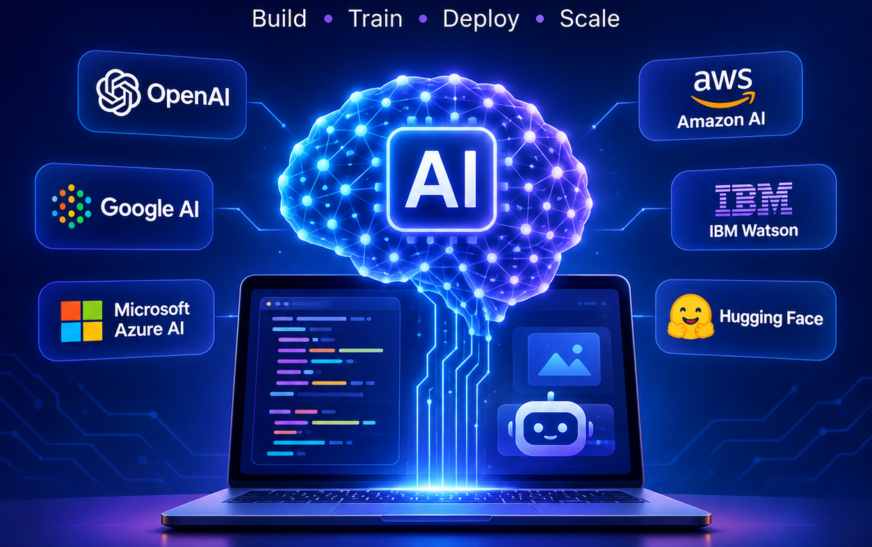
There is no single winner among the best AI developer platforms, and any list that gives you one is selling something. For frontier reasoning, long documents, and agentic work, the Anthropic Claude API and the OpenAI API are the two defaults most teams start with. If your data already lives inside a cloud account, AWS Bedrock, Google Vertex AI, or Azure AI Foundry will save you a procurement cycle and a security review. If you want open weights, cheaper inference, or something running on your own hardware, look at Hugging Face, Together AI, Replicate, Groq, and Ollama. Pick based on where your data sits, what latency your users will tolerate, and how badly you’d be hurt if you had to switch providers in six months.
Key Takeaways
- Model quality is no longer the main differentiator. The top two or three models are close enough that SDK quality, API documentation, rate limits, and uptime and SLA terms usually decide the winner in practice.
- Your cloud choice often makes the decision for you. Teams already on AWS or Azure rarely regret using AWS Bedrock or Azure AI Foundry, because data privacy and compliance paperwork is the slowest part of shipping, not the code.
- Cost surprises come from tokens, not subscriptions. Model AI API cost per token against real traffic before you commit. A free tier AI platform is fine for a prototype and misleading as a production forecast.
- Design for switching from day one. Keep prompts, retrieval, and evaluation outside your provider SDK. Vendor lock-in in AI is mostly self-inflicted through convenience wrappers.
- The platform is only half the stack. You will still need retrieval, prompt management tools, and AI observability and evaluation tools before anything is genuinely production-ready.
What Is an AI Developer Platform?
Short version of the AI platform meaning: it’s the layer that gives you model access plus everything around the model. That “everything around” is where the real work lives.
A reasonable list of AI development platform components includes hosted model inference over an API, SDKs in the languages you actually use, authentication and key management, streaming responses, function calling and tool use, a batch processing API for offline jobs, logging, and usage controls.
Two distinctions worth getting right early:
Difference between an AI platform and an AI framework. A platform runs models for you and bills you for it. A framework, like LangChain or LlamaIndex, is code you install that orchestrates calls to those platforms. You can use both, and most teams do, but a framework will never fix a platform’s rate limits.
MLOps vs an AI developer platform vs robotics technology. Classic MLOps assumed you trained the model. Most teams in 2026 don’t. You’re calling someone else’s model, so your operational problems shift toward prompt versioning, evaluation, cost control, fallback routing, and robotics integration, sensor data processing, and autonomous system management. Same discipline, different artifacts.
How to Choose an AI Development Platform
Here’s the AI platform evaluation criteria I’d actually apply, roughly in order of how often they cause regret.
Where your data is allowed to live. This kills more projects than any technical factor. If you handle health, financial, or EU personal data, start with retention policies, regional processing, and whether the vendor offers a SOC 2 report and a signed DPA. Everything else is negotiable.
Rate limits and burst behaviour. Read the published limits, then ask what happens at 10x. Plenty of demos have died on a launch day because the account tier throttled at exactly the wrong moment.
SDK quality and docs. This sounds soft and isn’t. A well-typed SDK with honest error messages saves days per quarter. When you’re comparing two similar models, good API documentation is a legitimate tiebreaker.
Latency profile. Time to first token matters more than total throughput for anything a human is watching. For batch pipelines, invert that.
Escape hatches. Can you export your prompts, evaluations, and logs? Can you point the same code at another provider by changing a base URL and a model string?
Use this as your AI platform features checklist rather than trusting a vendor comparison page, including this one.
AI Platform Comparison: The Main Options
A rough AI development platform comparison chart, grouped by what each is genuinely good at.
| Platform | Best suited to | Watch out for |
| Anthropic Claude API | Long-context reasoning, coding, agent workflows | Fewer non-text modalities than some rivals |
| OpenAI API | Broad multimodal coverage, huge ecosystem | Ecosystem gravity encourages lock-in |
| Google Vertex AI | Teams on GCP, data-warehouse-adjacent work | Console complexity |
| AWS Bedrock | Multi-model access inside existing AWS accounts | IAM setup is a project of its own |
| Azure AI Foundry | Regulated enterprises already on Microsoft | Regional model availability varies |
| Hugging Face | Open weights, datasets, experimentation | You own more of the operational burden |
| Together AI / Groq | Fast, cheap open-model inference | Smaller model catalogue than hyperscalers |
| Replicate | Shipping image, audio, and video models quickly | Cold starts on less popular models |
| Ollama | Local development, offline and private testing | Hardware ceiling on model size |
Two structural choices sit underneath that table.
Open source vs closed source AI platforms. Open weights give you portability, auditability, and the option to run on-prem. Closed frontier models generally still win on hard reasoning. A lot of mature stacks route cheap, high-volume calls to open models and reserve frontier models for the calls that matter.
Managed API vs self-hosted models, or cloud AI platform vs local deployment. Self-hosting looks cheaper on a spreadsheet and rarely is once you count GPUs sitting idle, plus an engineer’s attention. Self-host when you have a compliance requirement, a genuinely steady high-volume workload, or unusual latency needs. Otherwise, rent.
If your question is narrower, “what’s the best LLM API for developers,” the honest answer is: whichever one your team can evaluate properly on your own tasks in a week.
Best AI Platform For Specific Use Cases
This is where general rankings stop helping and use cases take over.
- Best AI platform for chatbots: any frontier API with strong streaming and low time to first token. Prioritise conversation-state design over model choice.
- Best AI platform for coding assistants: frontier models with large context windows. If you want the finished product rather than the plumbing, Cursor and GitHub Copilot already solved most of this.
- Best AI platform for AI agents: platforms with reliable function calling and tool use, plus predictable behaviour on long multi-step runs. Look at agent orchestration frameworks alongside the API itself.
- Best AI platform for RAG applications: the model matters less than retrieval quality. Focus on vector database integration and chunking before you switch providers.
- Best AI platform for document processing: long context window comparison numbers plus native PDF handling. Batch endpoints cut cost substantially here.
- Best AI platform for image generation, voice, and video: Replicate for breadth and speed of experimentation, hyperscaler platforms when compliance is the constraint.
- AI platform for startups and best AI platform for solo developers: start on a free AI API for developers or a generous free tier, then move once you have real usage data.
- Enterprise AI development platform: almost always AWS Bedrock, Google Vertex AI, or Azure AI Foundry, chosen by whichever cloud already holds your data.
AI Platform Pricing Comparison
An honest AI platform pricing comparison is impossible to freeze in an article, because per-token rates move every few months. What stays true is the shape of the bill.
Input tokens are cheap, output tokens are not. Long conversation histories re-sent on every turn are the single most common cause of a shocking invoice. Caching repeated context and batching anything non-interactive routinely cuts spend by a large margin.
So rather than chase the cheapest AI API for developers, build a tiny AI platform pricing calculator for your own workload: average input tokens, average output tokens, requests per day, then multiply by current published rates. That five-minute spreadsheet predicts the cost of running an LLM in production better than any benchmark table.
On fine-tuning platforms: fine-tuning is worth it for tone, format adherence, and shrinking prompts, not for adding knowledge. Try retrieval and better prompting first.
Technical Capabilities Worth Comparing
When you build your own comparison sheet, these AI Technology and platform columns earn their space: context window comparison, model routing and multi-model support, function calling and tool use, streaming responses, batch processing API, fine-tuning availability, and observability hooks.
Then add the tooling layer, because no platform ships all of it: prompt management tools so prompts are versioned like code, and AI observability and evaluation tools so you can tell whether last week’s prompt change made things better or just different. Teams that skip evaluation end up debugging by vibes.
The Mistake Most Teams Make
Every AI development platform list you’ll read, including this one, tempts you into the same trap: treating platform selection as the hard part. It isn’t. The hard part is knowing whether your system works.
I’ve watched teams spend three weeks comparing AI developer platforms and then ship with zero evaluation set, no logging of prompt versions, and no idea what their per-user cost is. Six weeks later something regresses and nobody can say when, or why, or which change caused it.
So spend one week on selection, using your own tasks and your own data rather than public benchmarks. Then spend the rest of your effort on evaluation, retrieval quality, and cost instrumentation. Those three things transfer to whatever provider you use next. The platform choice, in the end, mostly doesn’t.
Conclusion
The best AI developer platforms aren’t the ones topping a benchmark chart this month. They’re the ones your team can ship on, afford at scale, and walk away from if the market shifts again.
Strip away the noise and the decision comes down to three questions. Where is your data allowed to live? What latency will your users actually put up with? And how much would it cost you, in engineering weeks, to switch providers next year? Answer those honestly and the shortlist usually writes itself: an enterprise AI development platform like AWS Bedrock, Google Vertex AI, or Azure AI Foundry if compliance leads the decision, a direct frontier API like the Anthropic Claude API or OpenAI API if capability leads, and open weights via Hugging Face, Together AI, or Ollama if cost and control lead.
Whatever you choose, keep your prompts, retrieval logic, and evaluation sets in your own codebase. That’s the part that holds its value when the model underneath changes, and it will change.
Pick your two strongest candidates, run ten real prompts through both this week, and compare cost and latency on your own data before you sign anything.
Frequently Asked Question
Which AI platform is best for beginners?
A single hosted API with good docs and a free tier. Skip the frameworks until you’ve hand-written the calls once.
Do I need a vector database?
Not immediately. Below a few thousand documents, simple search plus a large context window often outperforms a poorly tuned vector pipeline.
Can I switch AI providers easily?
Yes, if you kept provider-specific code in one thin module. Prompts usually need retuning, so budget an evaluation pass.
Is fine-tuning worth it?
For consistent style and structure, often. For teaching new facts, usually not.
Which AI API is fastest?
Specialised inference providers like Groq typically win on raw token throughput. For end-user perception, measure time to first token on your real prompts.
Are free AI platforms good enough for production?
For low traffic, sometimes. Free tiers usually come with tight rate limits and weaker uptime and SLA guarantees, which is fine until the day it isn’t.