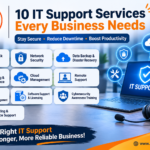

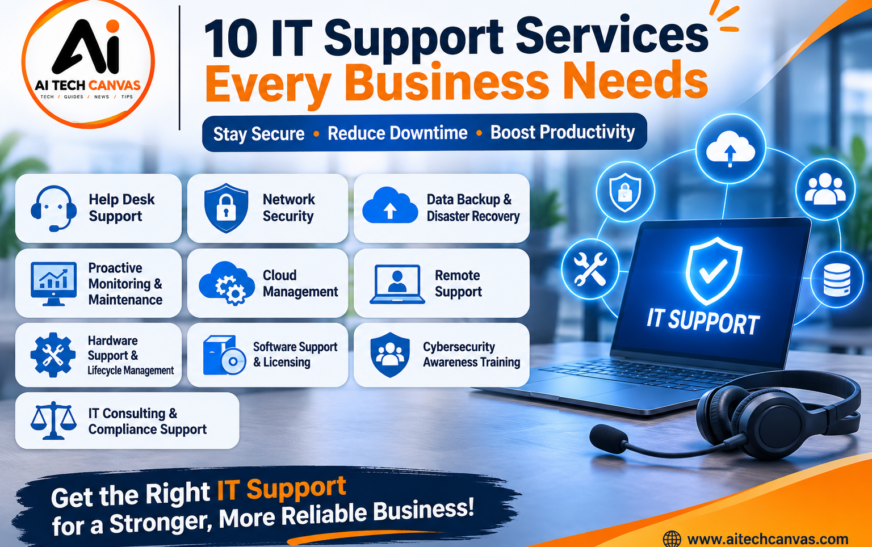
One hour of downtime can cost a small business up to $10,000, and most owners only learn how unprepared they are after the screens go dark. IT support services are the technical help a business uses to set up, maintain, secure, and fix its technology. The 10 essentials are help desk, network security, data backup and disaster recovery, proactive monitoring, cloud management, remote support, hardware support, software support, cybersecurity training, and IT consulting. Most small businesses should start with security, backups, and a reliable help desk, often through managed IT support services from a managed service provider (MSP) at roughly $100 to $250 per user per month in the US market.
Key Takeaways
- Downtime is expensive: small businesses can lose up to $10,000 per hour, plus idle payroll, lost trust, and recovery work.
- Security, backup, and monitoring are the foundation. Add everything else on top of them.
- Reliable backups change outcomes: in Verizon’s 2026 DBIR findings, 69% of small and midsize businesses refused ransom demands because they had backups.
- Managed IT support bundles help desk, monitoring, security, and maintenance into one predictable monthly fee.
- Compare providers on response times, security practices, SLA terms, and what the fee includes, not on price alone.
- Compliance rules such as GDPR, HIPAA, or PCI-DSS may apply to your business.
What Is IT Support?
IT support is the technical help a business uses to set up, maintain, troubleshoot, and secure its technology. It ranges from resetting a password to recovering data after a cyberattack. IT support for businesses comes in several types of IT support services, and the 10 covered below are the ones most companies rely on. A company can handle this with an internal team, an external provider, or a mix of both. The right choice depends on business size, budget, technical needs, and security requirements.
IT Services vs. IT Support
“IT services” is the broader term. It includes consulting, cloud setup, software development, and infrastructure planning. IT support is the day-to-day work of solving problems and keeping systems running. Setting up a cloud environment is an IT service. Helping an employee regain access to a cloud app is IT support. Most providers offer both.
The 10 IT Support Services Every Business Needs
These are the essential IT services for businesses of any size, from a five-person office to a fast-growing company.
1. Help Desk Support
A help desk is your employees’ first point of contact for tech support: password resets, email errors, printer issues, and software crashes. Requests arrive by phone, email, chat, or a ticketing system.
Why it matters: Without a help desk, employees lose time hunting for fixes or wait days for an answer. A good help desk resolves common problems in minutes and tracks repeat issues so they can be fixed for good.
2. Network Security
Network security protects your systems from malware, ransomware, phishing, and unauthorized access. Core elements include firewalls, endpoint protection, multi-factor authentication (MFA), and continuous threat monitoring.
Why it matters: IBM’s 2026 report puts the global average cost of a data breach at a record $4.99 million, up 12% year over year. Small businesses are not exempt. Verizon’s 2026 DBIR reports that small organizations made up 96% of ransomware victims, and that exploiting software vulnerabilities overtook stolen credentials as the top way in.
Practical steps:
- Turn on MFA for every business account.
- Keep operating systems and software patched.
- Give employees access only to what their role requires.
3. Data Backup and Disaster Recovery
Backups copy your important files so you can restore them after deletion, hardware failure, or ransomware. Disaster recovery goes further: it is the plan for getting systems running again after a major incident.
Two terms to know:
- RTO (Recovery Time Objective): how long your business can afford to be down.
- RPO (Recovery Point Objective): how much recent data you can afford to lose.
Best practice: Follow the 3-2-1 rule. Keep three copies of your data, on two types of storage, with one copy off-site or in the cloud. Test your restores regularly, because an untested backup is a guess, not a safety net.
Example scenario: Imagine a 20-person accounting firm hit by ransomware on a Friday night. Because it keeps nightly backups in the cloud and tests a restore every quarter, the provider wipes the infected machines, restores customer records from Thursday’s copy, and the team is working again by Monday. The firm loses one day of data and pays no ransom. Without tested backups, the same attack could mean weeks of downtime.
4. Proactive Monitoring and Maintenance
Monitoring tools watch your servers, networks, and devices around the clock. They flag failing drives, low storage, or unusual activity before users notice.
Why it matters: Fixing a problem early is almost always cheaper and less disruptive than recovering from a failure. Maintenance also includes patch management, which means installing security updates on a schedule so known vulnerabilities do not stay open.
5. Cloud Management
Cloud services let your team reach applications and files from anywhere. Cloud management keeps that access organized and secure. It covers user permissions, storage, performance, costs, and security settings.
Example: A business with remote staff can share documents and collaborate in real time, but only if permissions are set correctly. Poorly managed cloud accounts are a common source of data leaks and surprise bills.
6. Remote Support
Remote support lets technicians connect securely to a device and fix issues without visiting your office. It is fast for software errors, account problems, and configuration changes, and it is essential for remote teams and multi-location businesses.
Limitation: Physical hardware faults and some network problems still need an on-site visit, so choose a provider that offers both.
7. Hardware Support and Lifecycle Management
Computers, servers, printers, and network equipment do not last forever. Hardware support covers repairs, installations, upgrades, and planned replacement.
Why it matters: Aging equipment is slower, less secure, and more likely to fail at a bad moment. Tracking device age and replacing equipment on a schedule lets you budget ahead instead of paying for emergency replacements.
8. Software Support and Licensing
Your business depends on applications for accounting, communication, customer management, and daily operations. Software support covers installation, updates, troubleshooting, compatibility issues, and license management.
Why it matters: Outdated or unlicensed software creates security gaps and legal risk. A provider can keep your tools updated and make sure you pay only for the licenses you use.
9. Cybersecurity Awareness Training
Technology alone cannot stop every threat. Many attacks succeed because someone clicks a malicious link or shares a password, and IBM’s 2026 findings list phishing as the leading initial attack vector. Training teaches employees to spot phishing emails, fake websites, and suspicious requests.
Best practice: Run short, regular sessions and simulated phishing tests rather than one annual lecture. Training cannot remove all risk, but it turns your team into an extra layer of defense.
10. IT Consulting and Compliance Support
IT consulting helps you plan technology that fits your goals, such as moving to the cloud, upgrading infrastructure, or preparing for growth. Consultants review your current setup, find weaknesses, and recommend practical improvements instead of expensive extras.
Compliance support matters if you handle regulated data. Depending on your industry and location, you may need to meet standards such as GDPR (personal data), HIPAA (health information), or PCI-DSS (payment cards). A provider with compliance experience can help you meet requirements and prepare for audits.
Benefits of IT Support Services
Here is why businesses need IT support, beyond simply fixing what breaks:
- Less downtime: Monitoring and fast response keep small problems from becoming outages that cost up to $10,000 per hour.
- Stronger security: Patching, MFA, and training close the gaps attackers use most.
- Predictable costs: Monthly plans and planned hardware replacement replace surprise repair bills.
- Higher productivity: Staff get answers in minutes instead of waiting days.
- Easier compliance and growth: Providers can help with audits (GDPR, HIPAA, PCI-DSS) and scale your systems as you hire.
What Is Managed IT Support?
Managed IT support services mean outsourcing some or all of your IT to a managed service provider (MSP) for a predictable monthly fee. Instead of buying each service separately, an MSP usually bundles several of them: help desk, 24/7 monitoring, security, backups, and maintenance.
Managed IT is not an eleventh service. It is a way of delivering the services above, and for growing businesses without a full in-house team it is often the most practical option.
The 3 Levels of IT Support
Providers organize support into tiers so each problem reaches the right person.
| Tier | What it handles | Examples |
| Tier 1: Basic | First point of contact for everyday issues | Password resets, account access, printer problems |
| Tier 2: Advanced | Problems Tier 1 cannot solve | Software issues, network connectivity, system configuration |
| Tier 3: Expert | Complex infrastructure issues handled by senior specialists | Server failures, network engineering |
Ask any provider how issues are escalated between tiers, because this affects how fast hard problems get solved.
How Much Does IT Support Cost?
Pricing varies by location, business size, and support level. The figures below are US benchmarks from provider pricing guides, which are vendor-published, so treat them as a starting range and request local quotes.
| Model | How it works | Typical range (US) |
| Per user, per month | Fixed fee for each employee | About $100 to $250 per user, with basic plans near $50 and larger bundles above $250 |
| Per device, per month | Fee based on computers and servers | Varies widely by device type |
| Flat monthly fee | One price for a defined bundle | Common for small, stable setups |
| Hourly (break-fix) | You pay only when something breaks | $125 to $300 per hour |
| Project-based | One-time fee for a specific job | Quoted per project (migrations, upgrades) |
In the UK, one provider guide lists £40 to £150 per user per month, from basic to premium.
Tip: Always ask what the monthly fee includes. Some providers charge extra for after-hours support, on-site visits, onboarding, or security tools.
Small Business IT Support: Should You Outsource?
For most small businesses, yes. A full-time in-house team is expensive, and one person cannot cover security, networking, cloud, and help desk expertise. Outsourced IT support gives you a broader skill set at a predictable cost and frees you to focus on customers.
A hybrid model also works well. A small internal contact handles daily needs, while an external provider covers security, monitoring, and complex projects. Look for IT support services for small business that combine a help desk, security, and backups in one plan.
Best Business IT Solutions for Small Companies
Most IT services for small businesses come down to this core set of IT support solutions for businesses:
- Cloud productivity suite: Microsoft 365 suits businesses that want one admin and identity system for email, documents, and endpoint security. Google Workspace suits teams that put collaboration first.
- Managed IT support: Outsourcing cuts overhead, gives access to specialists, and lets your team focus on growth.
- Cybersecurity: Firewalls, endpoint protection, MFA, and employee training.
- Backup and recovery: The 3-2-1 rule, with tested restores.
- Automation tools: Zapier or Microsoft Power Automate can remove repetitive manual work.
Start with security, backup, and a reliable support provider, then add other tools as the business grows.
How AI and Automation Are Changing IT Support
Providers increasingly use automation to sort tickets, answer routine questions, spot unusual activity, and apply updates faster. IBM’s 2026 research found that organizations using security AI and automation extensively cut breach costs by $1.93 million on average.
The same technology helps attackers. IBM also reports that AI-driven attacks rose 56% year over year. Strong security, employee training, and a provider who tracks new threats matter more than ever. Ask how a provider uses automation and how it keeps human experts involved for complex problems.
How to Choose the Right IT Support Provider
Use this checklist when comparing providers of business IT support services:
- Relevant experience: Do they support businesses like yours?
- Response times: How fast do they respond to urgent versus routine issues?
- Support hours: Is 24/7 or after-hours support available, and at what cost?
- Security approach: Ask about monitoring, MFA, backups, and incident response.
- Compliance knowledge: Can they help with the rules that apply to you?
- Transparent pricing: Are all fees and exclusions clearly listed?
- Scalability: Can they grow with you?
- Service-level agreement (SLA): Does the contract state response commitments, responsibilities, and what happens if they miss them?
- References: Can they share client testimonials or case studies?
Global firms such as Accenture, TCS, IBM Consulting, Infosys, and NTT DATA mostly serve large enterprises. Small and mid-sized businesses are usually better served by a local or regional MSP. Many “best provider” roundups are vendor-funded, so treat them as a starting point rather than proof.
Conclusion
Reliable technology is the foundation your business runs on. Strong security, tested backups, proactive monitoring, and responsive support protect you from costly downtime and help you grow with confidence.
You do not need every one of the 10 IT support services on day one. Start with your biggest risks. For most businesses, that means security, backups, and a reliable help desk. Then add cloud management, consulting, and managed IT support as you grow. Before you sign with any provider, list your three biggest risks and ask each candidate how they would handle them.
FAQs
What are the 10 types of IT support services?
The 10 types are help desk support, network security, data backup and disaster recovery, proactive monitoring, cloud management, remote support, hardware support, software support, cybersecurity awareness training, and IT consulting with compliance support.
What are the most important IT services for a business?
Network security, data backup and recovery, and help desk support are the essentials. Proactive monitoring, cloud management, and employee training are strong next steps.
What does business IT support include?
Typically a help desk, security and patching, backups, monitoring, hardware and software support, and guidance on compliance.
How much do IT support services cost?
Costs depend on company size and support level. Common models are per-user monthly fees, flat monthly plans, hourly rates, and project pricing. US small businesses commonly see about $100 to $250 per user per month for managed plans. Always confirm what is included.
Why do small businesses need IT support?
Small businesses face the same downtime and cyberattack risks as larger ones but have fewer resources to recover. Professional support protects data and prevents expensive interruptions.
What is the difference between managed IT and IT support?
IT support is the day-to-day work of fixing problems and answering questions. Managed IT is a delivery model: an MSP takes over some or all of that work, plus monitoring and security, for a fixed monthly fee.
What are the benefits of outsourcing IT support?
You get a broader range of specialists, predictable monthly costs, 24/7 monitoring, and faster recovery from incidents without the cost.
Is remote IT support better than on-site support?
Remote support is faster for software and account issues. On-site support is needed for hardware repairs and installations. The best providers offer both.
Which company is best for IT support?
It depends on your size and budget. Large enterprises may choose global firms, while small businesses usually do better with a local or regional managed service provider.
What are the best IT solutions for small businesses?
A cloud productivity suite, managed IT support, cybersecurity, tested backups, and automation tools. Start with security and backup, then add more as you grow.